

Manage agenda items
Agenda items define the topics that will be discussed or voted on during a meeting. Each item can be informational or require a formal vote. You can also attach files, link entities, and set quorum requirements.
Add an agenda item
Open the meeting and go to the Agenda tab. Click Add agenda item to create a new item.
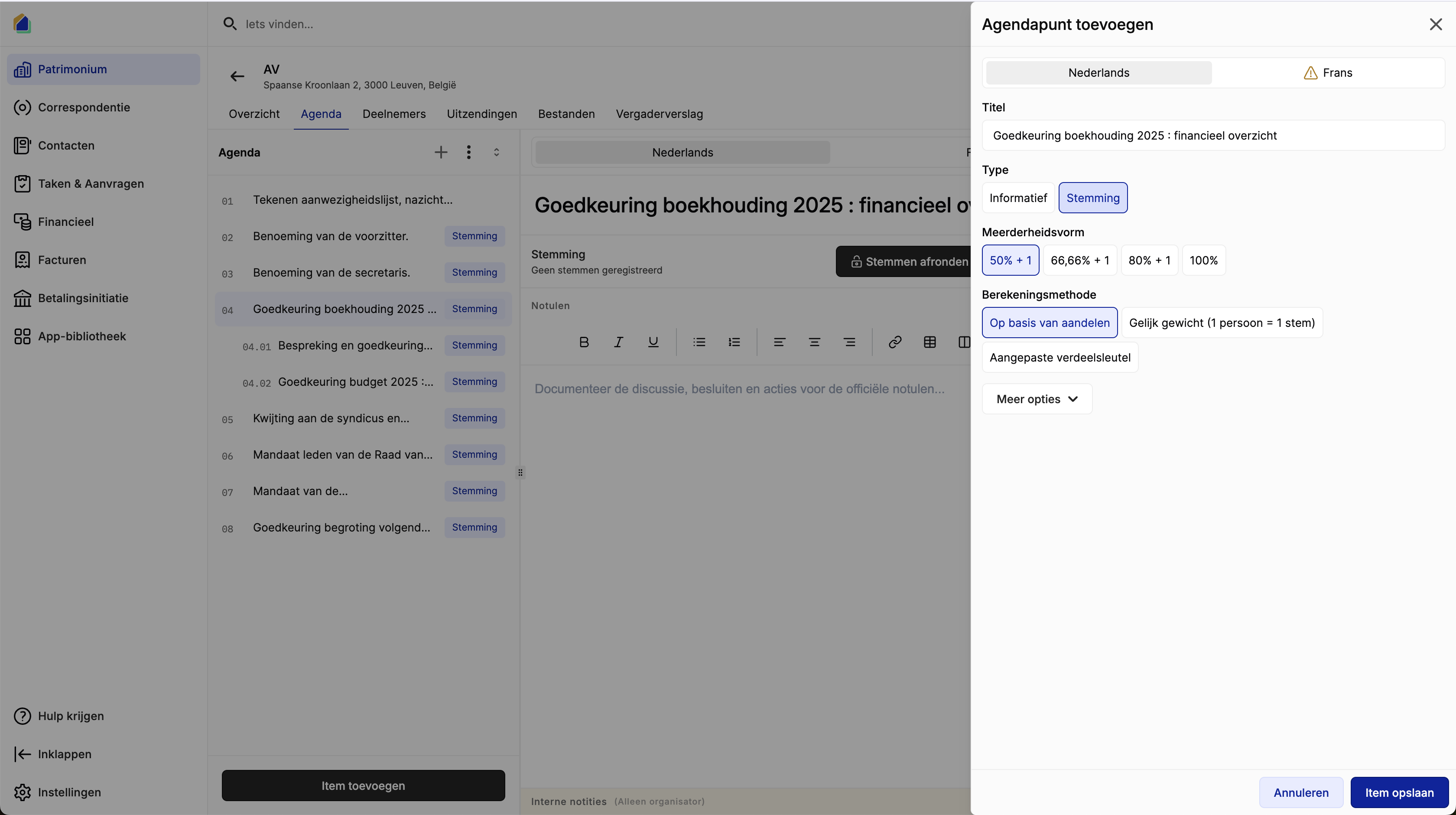
| Field | Description | Required |
|---|---|---|
| Title | Title of the agenda item | Yes |
| Type | Informational or Voting | Yes |
Multi-language support
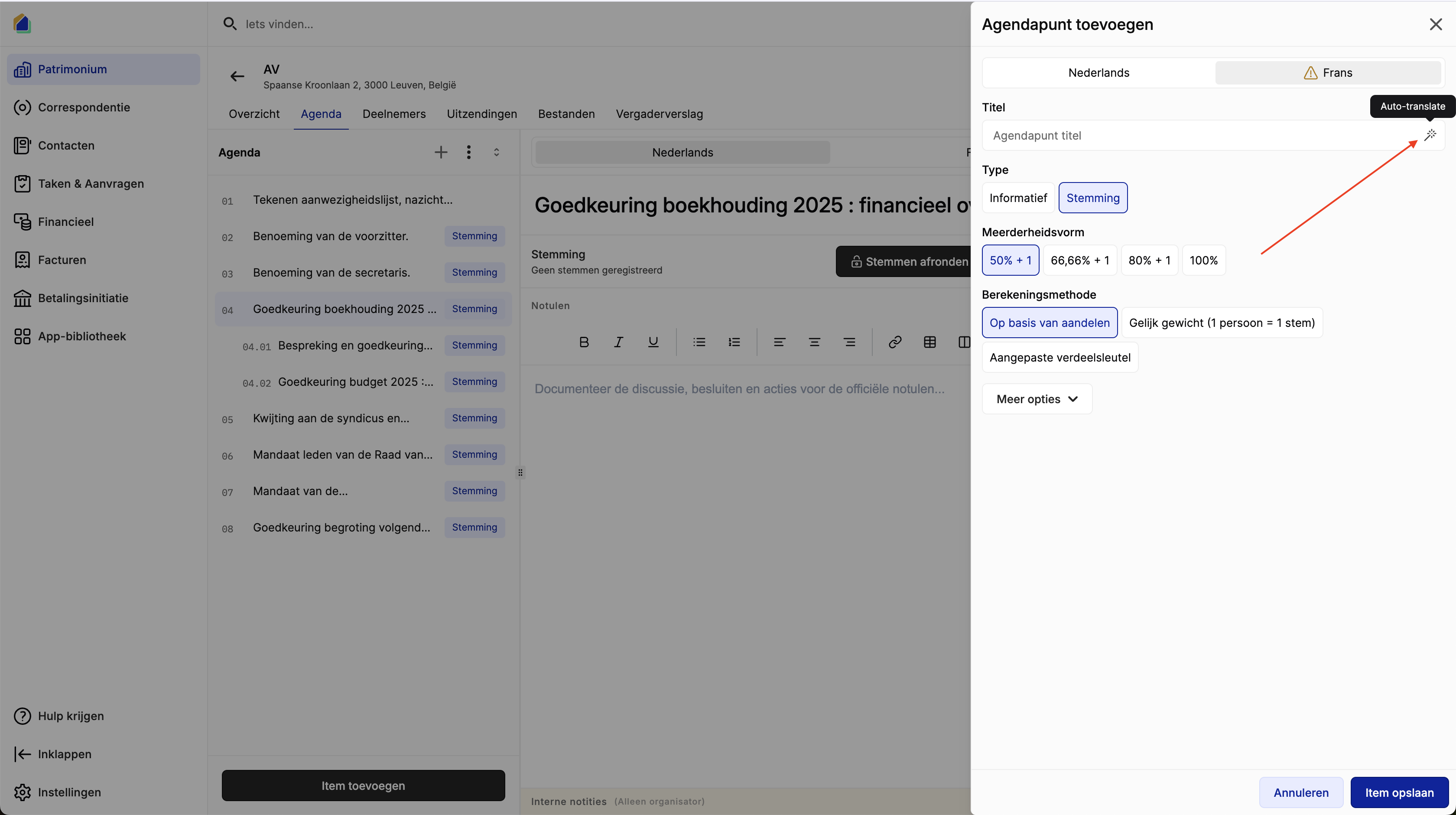
Agenda items support multiple languages. Use the language tabs (e.g. Dutch, French) to enter the title in each language. When you fill in one language, you can use the Auto-translate button to automatically translate the title to the other language.
Sub-agenda items
Agenda items can be organized hierarchically. You can create sub-items under a parent agenda item to group related topics together.
Add a sub-item
- Hover over an existing agenda item in the list
- Click the + button to add a sub-item
- Fill in the title and type
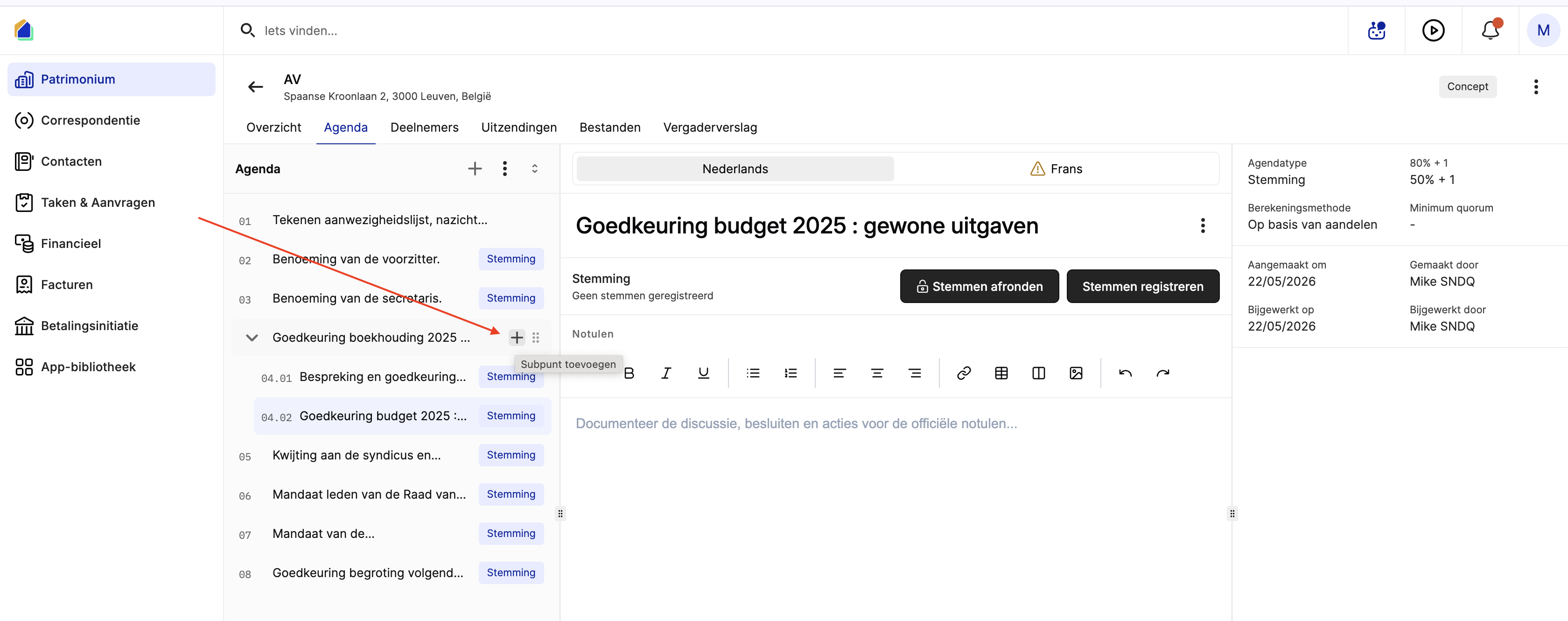
Sub-items are numbered using dot notation (e.g. 1.1, 1.2, 2.1) and appear indented under their parent item. When exporting the agenda as PDF, the hierarchical numbering is preserved.
Configure voting options
When the type is set to Voting, additional configuration options appear.
Majority type
| Option | Description |
|---|---|
| 50% + 1 | Simple majority — more than half of the votes |
| 66.66% + 1 | Two-thirds majority |
| 80% + 1 | Four-fifths majority |
| 100% | Unanimity — all votes must agree |
Calculation method
| Option | Description |
|---|---|
| Based on shares | Votes are weighted by ownership shares |
| Equal weight | One person equals one vote, regardless of ownership share |
| Custom distribution key | Use a specific distribution key for vote weighting |
Additional options
Click More options to expand additional fields:
| Field | Description | Required |
|---|---|---|
| File | Attach files to the agenda item (documents, images) | No |
| Entity | Link related entities (e.g. tasks, quotes) | No |
| Minimum quorum | Minimum percentage of voting power that must be present for the vote to be valid | No |
| Description | Short description of the agenda item | No |
Export agenda as PDF
Click the download icon at the top of the agenda list to export the agenda overview as a PDF.
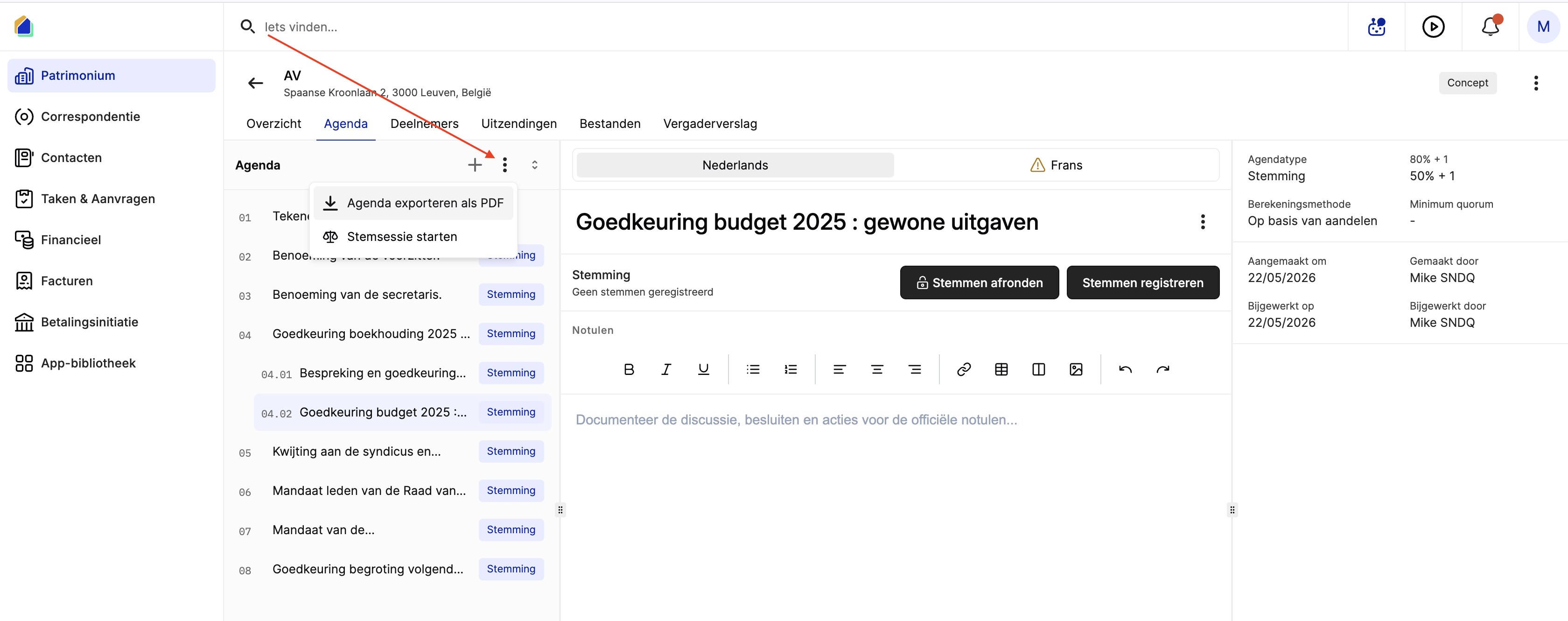
The exported PDF contains a summary table with:
| Column | Description |
|---|---|
| # | Sequence number |
| Agenda item | Title of the agenda item |
| Type | Informational or Voting |
| Vote result | Vote outcome (if votes have been recorded) |
| Remarks | Voting method and majority rule (e.g. based on shares, 50% + 1) |
At the bottom, the PDF includes fields for the total number of co-owners present or represented, total shares present, total units, and total shares. Signature fields for the syndicus and chairperson are also included.
TIP
Export the agenda before the meeting to share it with participants or print it for use during the meeting.
Video — Full flow: manage agenda items
Related articles
Need help?
Contact our team at info@sndq.be or use the Get Help option in the SNDQ application.