

Export attendance list
Export the participant list as a PDF to use during the meeting. Print it before the meeting starts so participants can sign on arrival.
Export the list
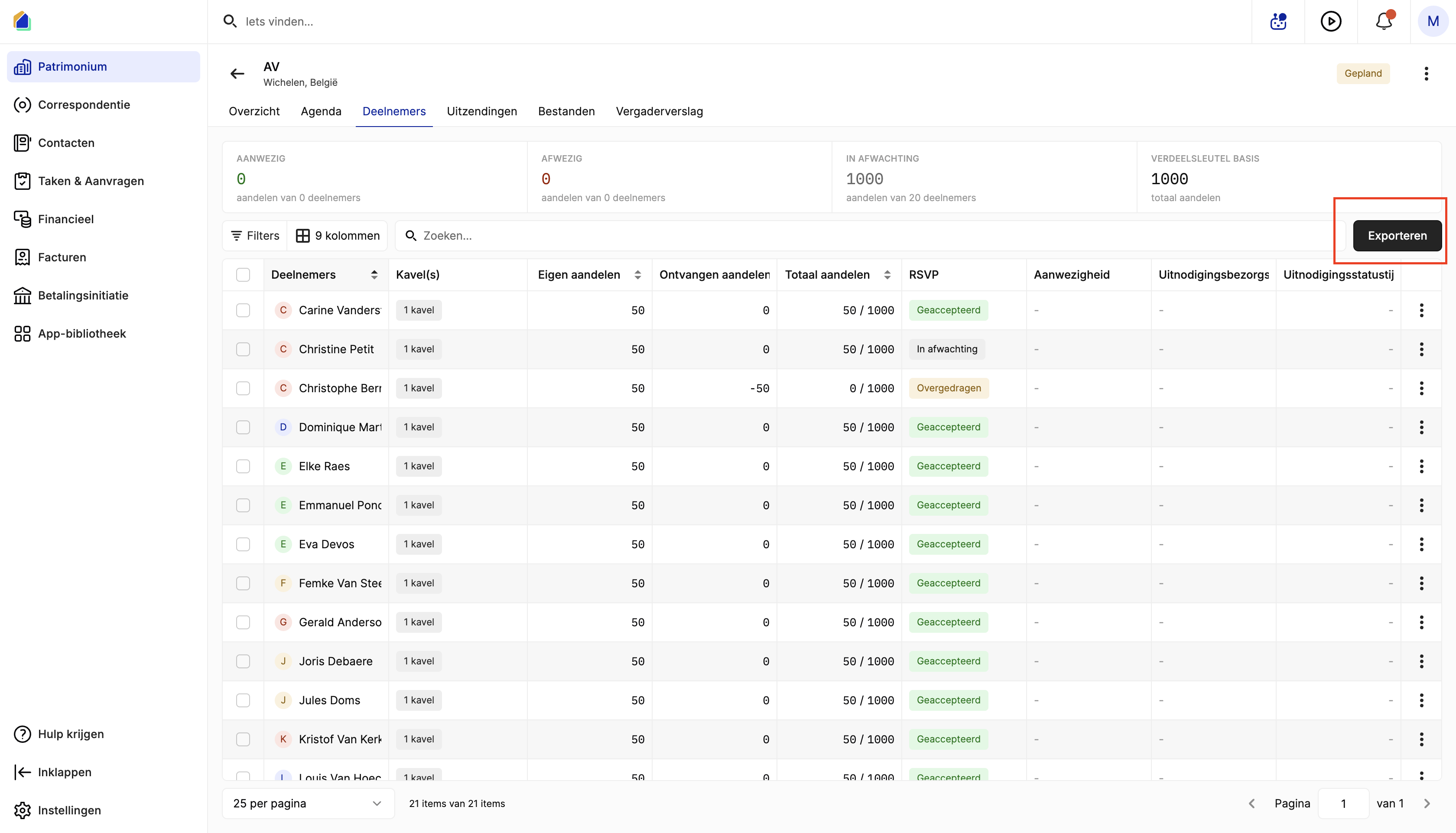
Go to your meeting and open the Participants tab. Click Export in the top right to download the PDF.
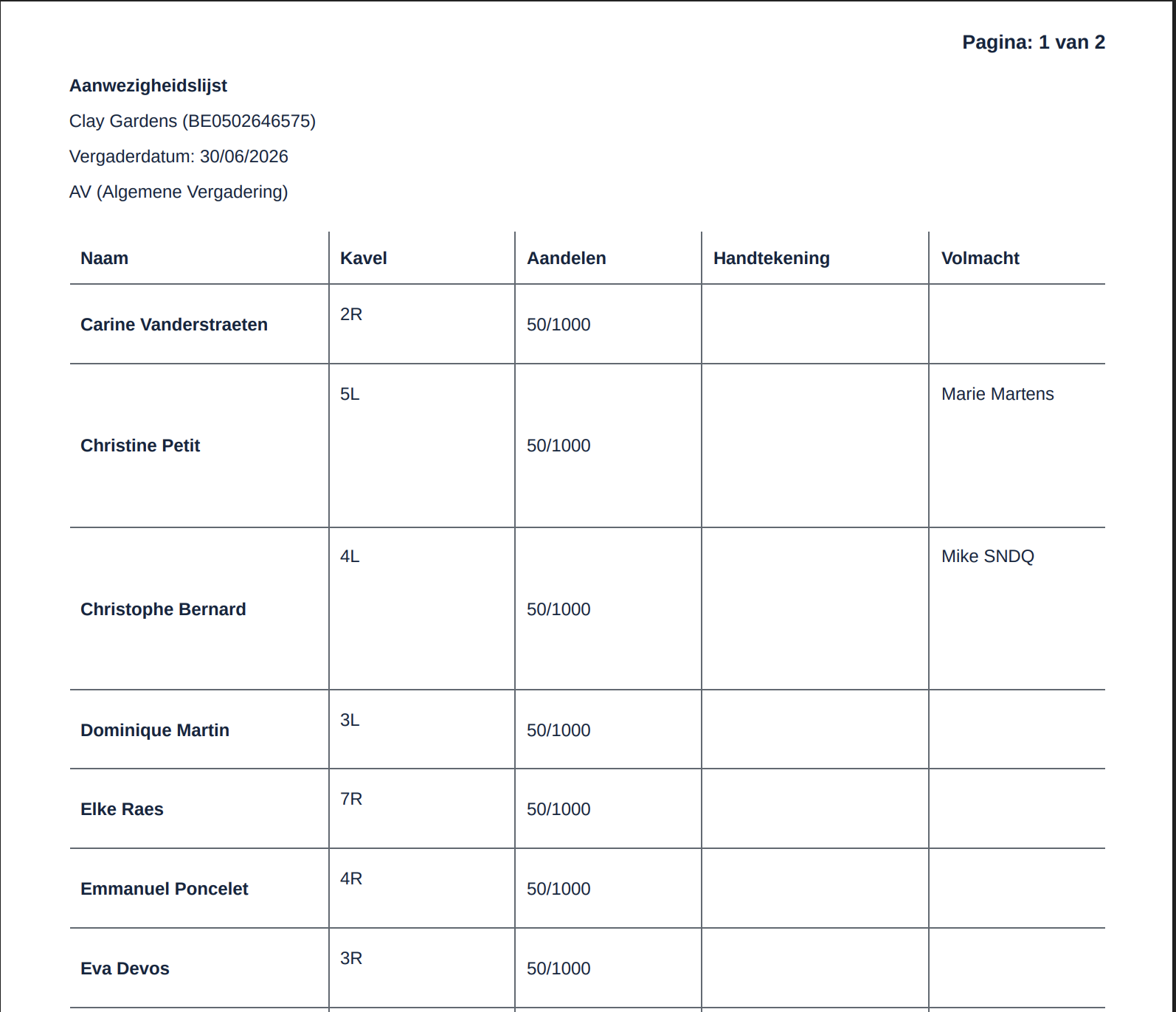
The PDF includes all participants with their shares, units, proxy status, and a signature field. Proxy holders are pre-filled if proxies were registered beforehand.
Good to know
- Register proxies before exporting so the Proxy column is filled in correctly.
- Register attendance on the day of the meeting to keep the list up to date.
Related articles
Need help?
Contact our team at info@sndq.be or use the Get Help option in the SNDQ application.