

Set up chart of accounts
The chart of accounts is the financial backbone of your building's accounting. It organizes all accounts into categories following the Belgian PCMN standard for HOAs.
Navigate to the chart of accounts
Go to Financial, select a building, and click Chart of Accounts.
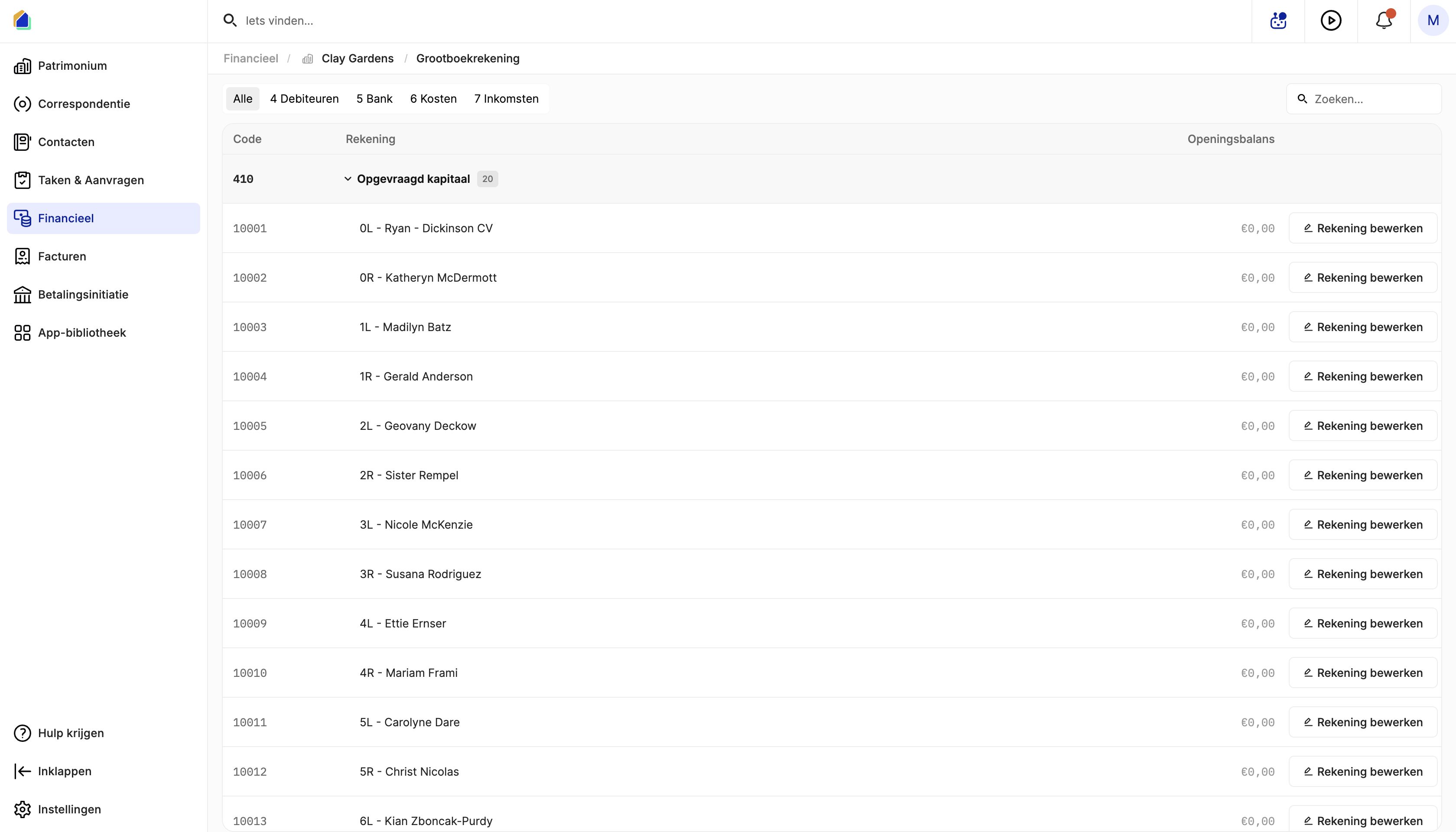
Account categories
Use the tabs at the top to filter by category:
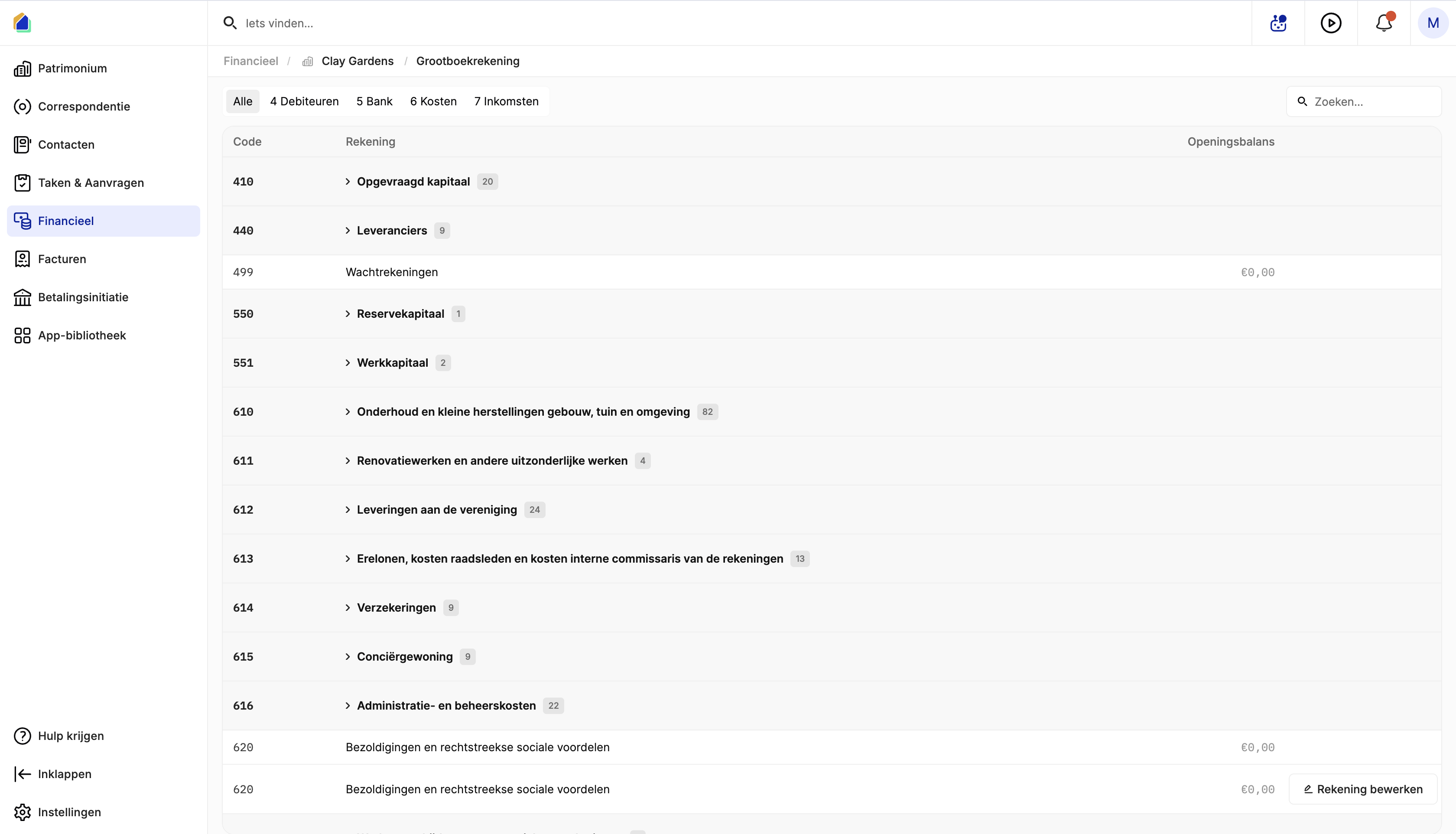
| Tab | Description |
|---|---|
| All | View all accounts |
| 4 Debtors | Amounts owed to the HOA (co-owner contributions, receivables) |
| 5 Bank | Bank accounts and cash |
| 6 Expenses | All expense accounts (maintenance, insurance, administration, etc.) |
| 7 Income | Revenue accounts |
Account structure
Accounts are organized hierarchically:
| Level | Example | Description |
|---|---|---|
| Parent account | 610 | Category header — shows the number of sub-accounts |
| Sub-account | 61000 | Individual account within the category |
| Owner sub-account | 10001 | Per-owner account within a parent |
Click on a parent account to expand and see all sub-accounts.
Main account categories
| Code | Category |
|---|---|
| 410 | Called-up capital — one sub-account per co-owner |
| 440 | Suppliers — accounts for supplier payables |
| 499 | Suspense accounts — temporary holding accounts |
| 550 | Reserve capital |
| 551 | Working capital |
| 610 | Maintenance and small repairs |
| 611 | Renovation and exceptional works |
| 612 | Supplies to the association |
| 613 | Fees, council costs, internal auditor costs |
| 614 | Insurance |
| 615 | Concierge residence |
| 616 | Administration and management costs |
| 620 | Salaries and direct social benefits |
| 630 | Depreciation on fixed assets |
| 634 | Impairments on receivables |
| 640 | Taxes and fees |
| 642 | Miscellaneous costs |
| 650 | Bank costs and debt charges |
| 657 | Miscellaneous financial costs |
| 693 | Carried-over funds |
| 700 | Advance payments for reserve capital |
Edit an account
Click on a sub-account to open the edit panel.
Expense and income accounts (6xx, 7xx)
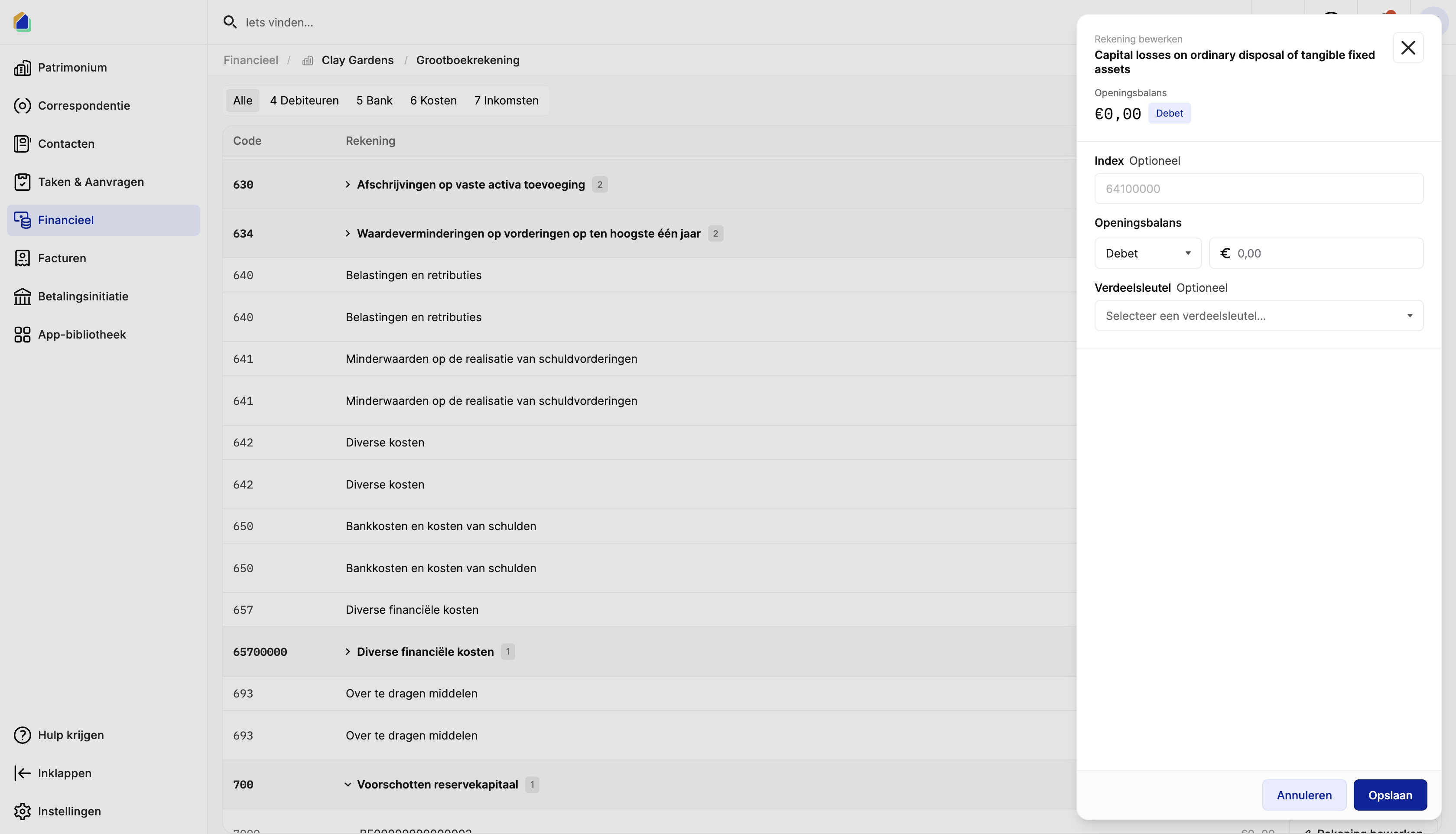
| Field | Description | Required |
|---|---|---|
| Account name | Name of the account | Yes |
| Opening balance | Opening amount with Debit or Credit side | No |
| Index | Custom index number for sorting | No |
| Distribution key | Select which distribution key to use for allocating costs to co-owners | No |
Debtor accounts (4xx — per owner)
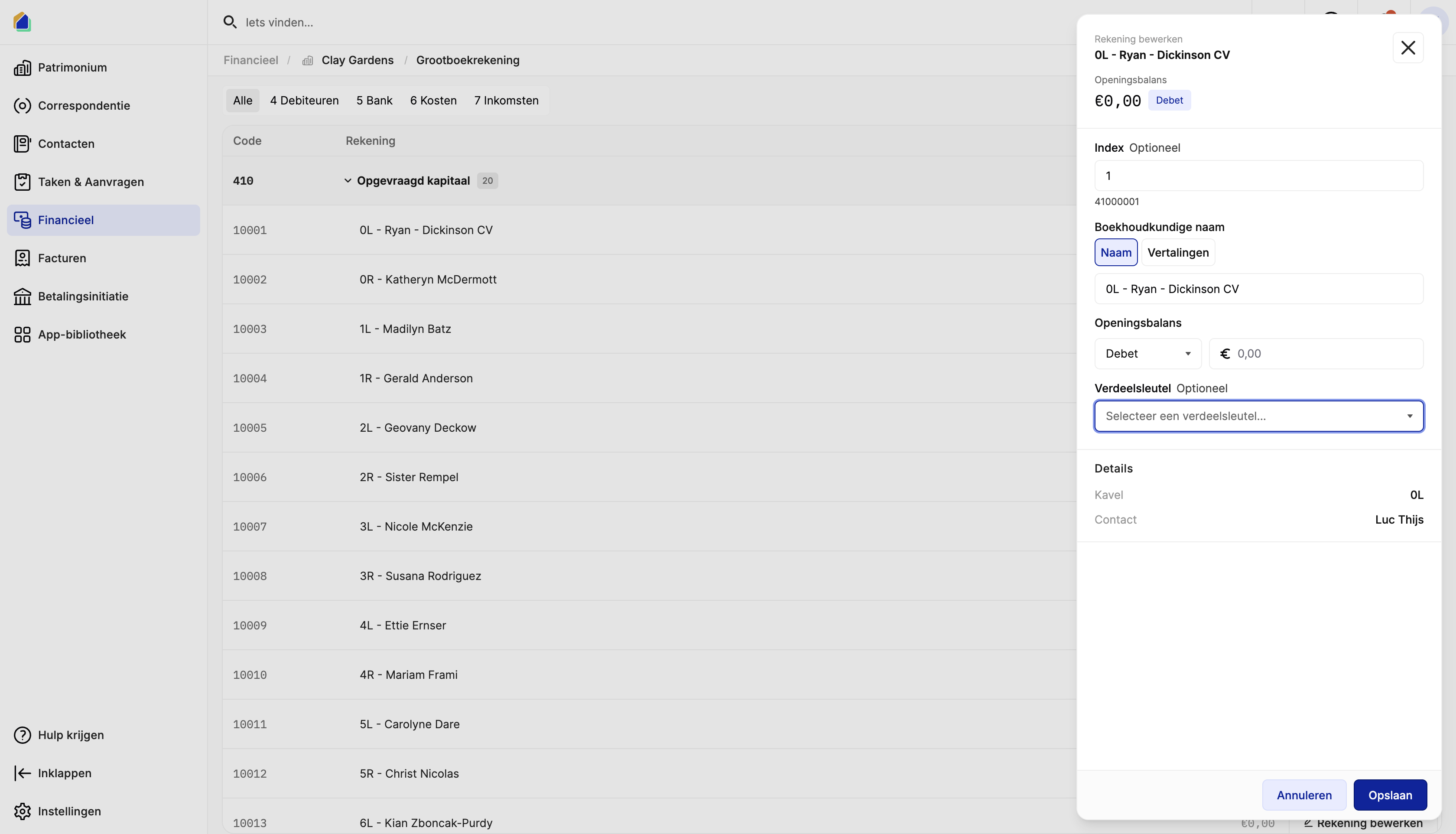
| Field | Description | Required |
|---|---|---|
| Account name | Format: Unit — Owner Name | Yes |
| Index | Sorting index | No |
| Accounting name | With tabs for name and translations | No |
| Opening balance | Opening amount with Debit or Credit side | No |
| Distribution key | Distribution key for this account | No |
The details section shows the linked unit and owner contact (read-only).
Distribution key
The distribution key determines how costs on an account are split among co-owners. When you assign a distribution key to an account:
- All expenses booked to this account are automatically allocated according to the key
- Each co-owner's share is calculated based on their shares in that distribution key
Select from available distribution keys configured for the building, or leave empty to allocate manually.
Opening balance
For each account, you can set an opening balance by choosing a side (Debit or Credit) and entering an amount. This is used when migrating from another accounting system or starting a new fiscal year. See Set Up Opening Data for the full migration process.
Good to know
- Per-owner accounts (410) — debtor accounts under code 410 are automatically created per co-owner, linked to their unit and contact.
- Distribution keys — assigning a distribution key to an account ensures automatic cost allocation. This is essential for transparent cost distribution to co-owners.
- Translations — account names can be translated for multilingual support.
- Search — use the search bar to quickly find accounts by name or code.
Related articles
Need help?
Contact our team at info@sndq.be or use the Get Help option in the SNDQ application.