

Set up fiscal year
A fiscal year defines the accounting period for a building. All financial transactions — invoices, payments, cost allocations, and accounting reports — are tied to a specific fiscal year. Before you can start any financial operations for a building, a fiscal year must be created.
Why is it important?
| Impact | Description |
|---|---|
| Invoicing | Purchase invoices are booked within a fiscal year |
| Cost allocation | Costs are allocated to owners per fiscal year |
| Accounting reports | Balance sheet, income statement, and ledger reports are generated per fiscal year |
| Budget | Annual budgets are linked to a fiscal year |
| Settlement | End-of-year cost settlement is calculated per fiscal year |
How to set up a fiscal year
Currently, fiscal years cannot be created by users in the platform. To set up a fiscal year for your building:
- Contact SNDQ support via the in-app chat or email
- Provide the following information:
| Information | Example | Description |
|---|---|---|
| Building name | Residentie Zonneweelde | The building for which you need a fiscal year |
| Start date | 01/01/2026 | First day of the fiscal year |
| End date | 31/12/2026 | Last day of the fiscal year |
| Fiscal year name | Boekjaar 2026 | Optional — a descriptive name |
- SNDQ will create the fiscal year and confirm when it is ready
Verify the fiscal year
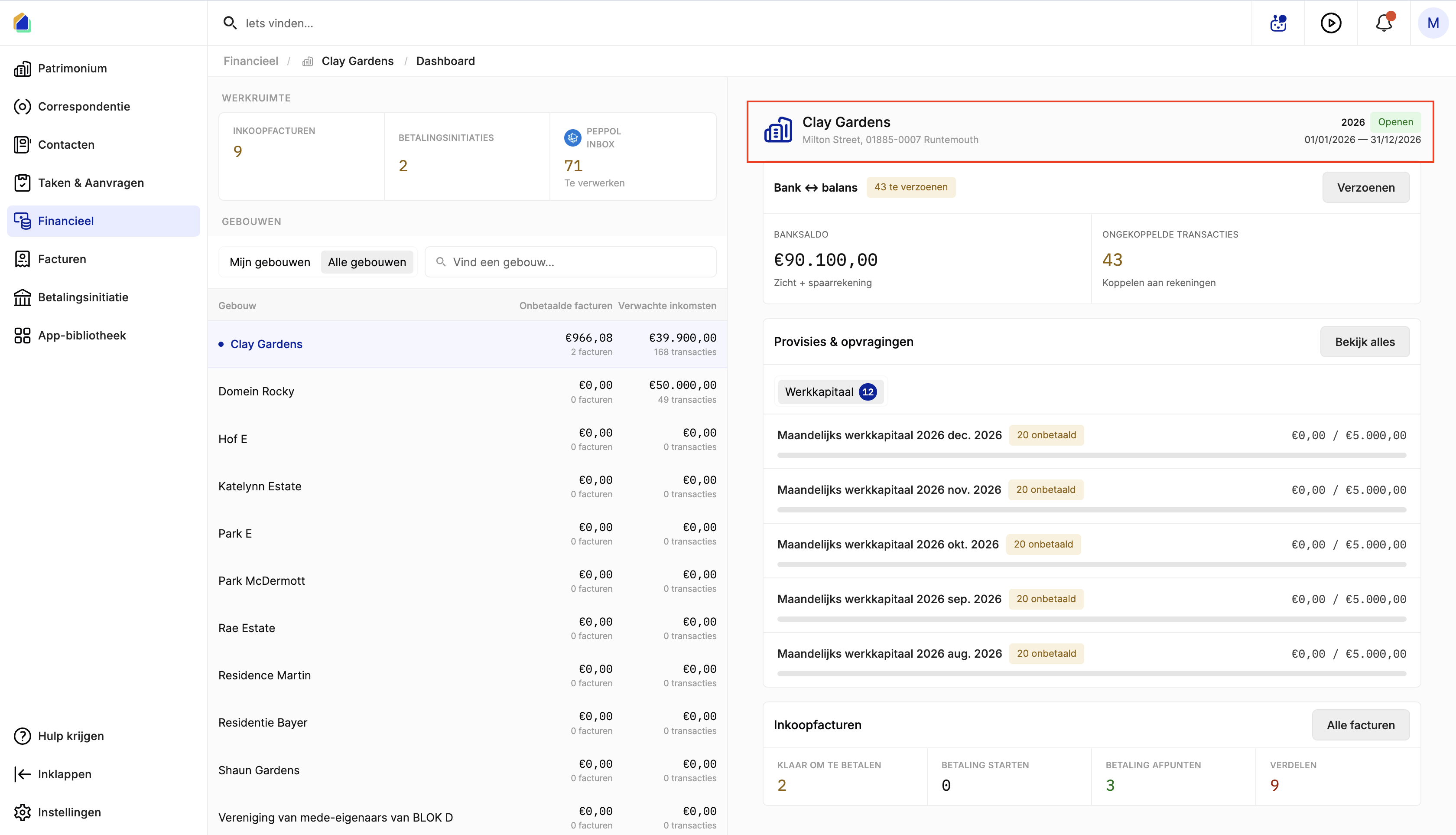
After SNDQ creates the fiscal year, you can verify the details. Go to Financial and check that the fiscal year appears with the correct start date, end date, and name.
Good to know
- A fiscal year typically runs from January 1 to December 31, but can be configured differently depending on the building's statutes (e.g. July 1 to June 30).
- Multiple fiscal years can exist for the same building (e.g. 2025, 2026).
- A fiscal year must be created before you can book invoices, allocate costs, or generate accounting reports for that period.
- If you need to close a fiscal year or make corrections to a past fiscal year, contact SNDQ support.
Need help?
Contact SNDQ support:
- Via the Get help button in the left sidebar
- Or email support directly
SNDQ will set up your fiscal year within one business day.