

Transfer ownership
An ownership transfer registers the sale or transfer of a unit from one owner to a new owner. When an apartment or unit is sold, the syndic must update the ownership in SNDQ so that:
- The new owner receives future invoices and cost allocations
- The old owner's working capital and reserve fund contributions are transferred to the new owner
- Financial responsibilities are correctly split based on the transfer date
Before you start — checklist
| Check | Why |
|---|---|
| All invoices for the old owner are booked | Ensures correct cost allocation up to the transfer date |
| All payments from the old owner are reconciled | Prevents incorrect outstanding balances |
| The new owner exists as a contact | Required to select as new owner |
| The new owner has a correct IBAN | Needed for future payment matching and refunds |
| Transfer date matches the notarial deed | Legal requirement — costs are split based on this date |
Navigate to the owners tab
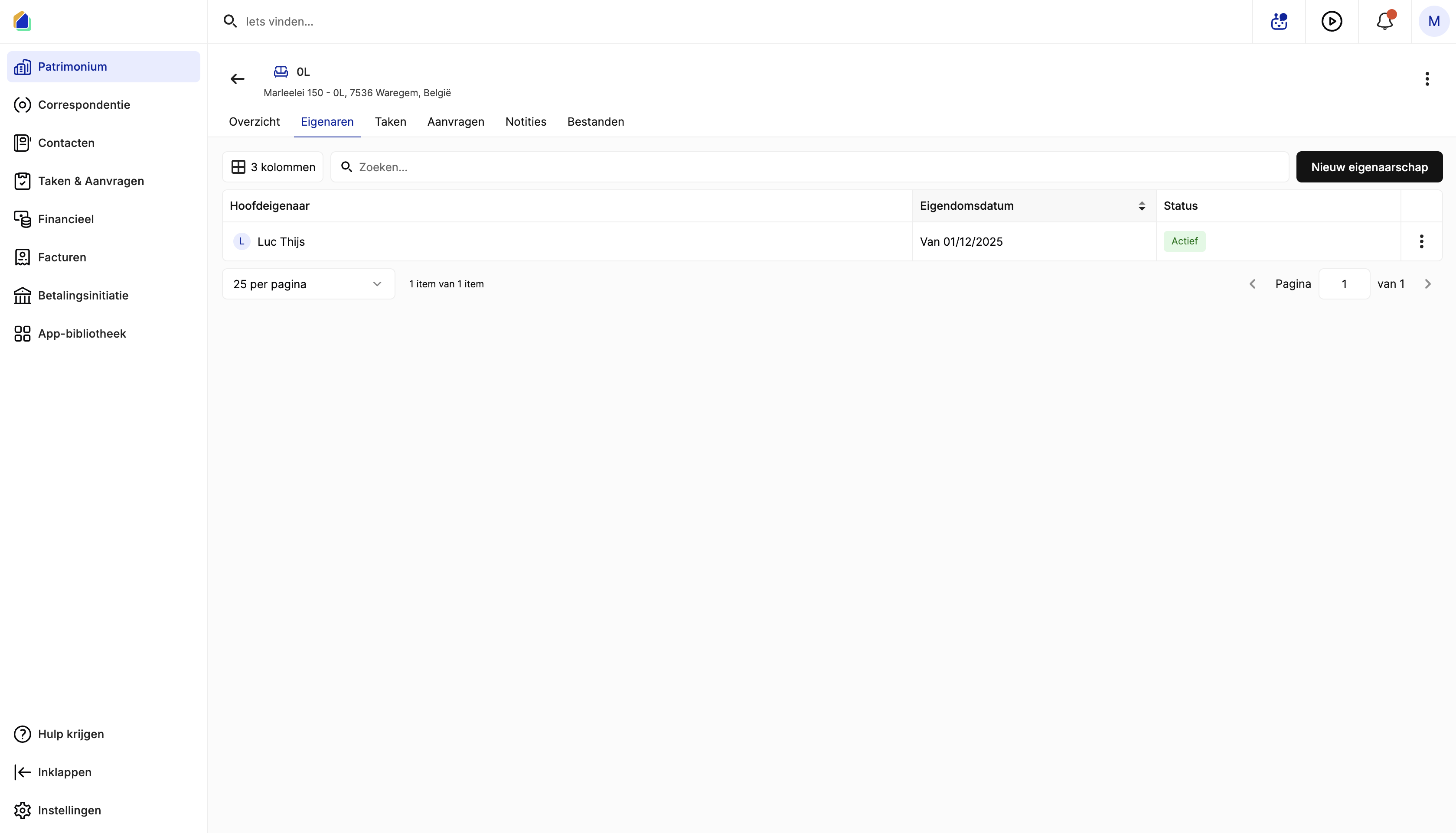
Go to Patrimony → select the building → select the unit (e.g. "0L") → click the Owners tab.
The owner list shows:
| Column | Description |
|---|---|
| Primary owner | Current owner name |
| Ownership date | Ownership start date |
| Status | Active (current owner) |
Create a new ownership
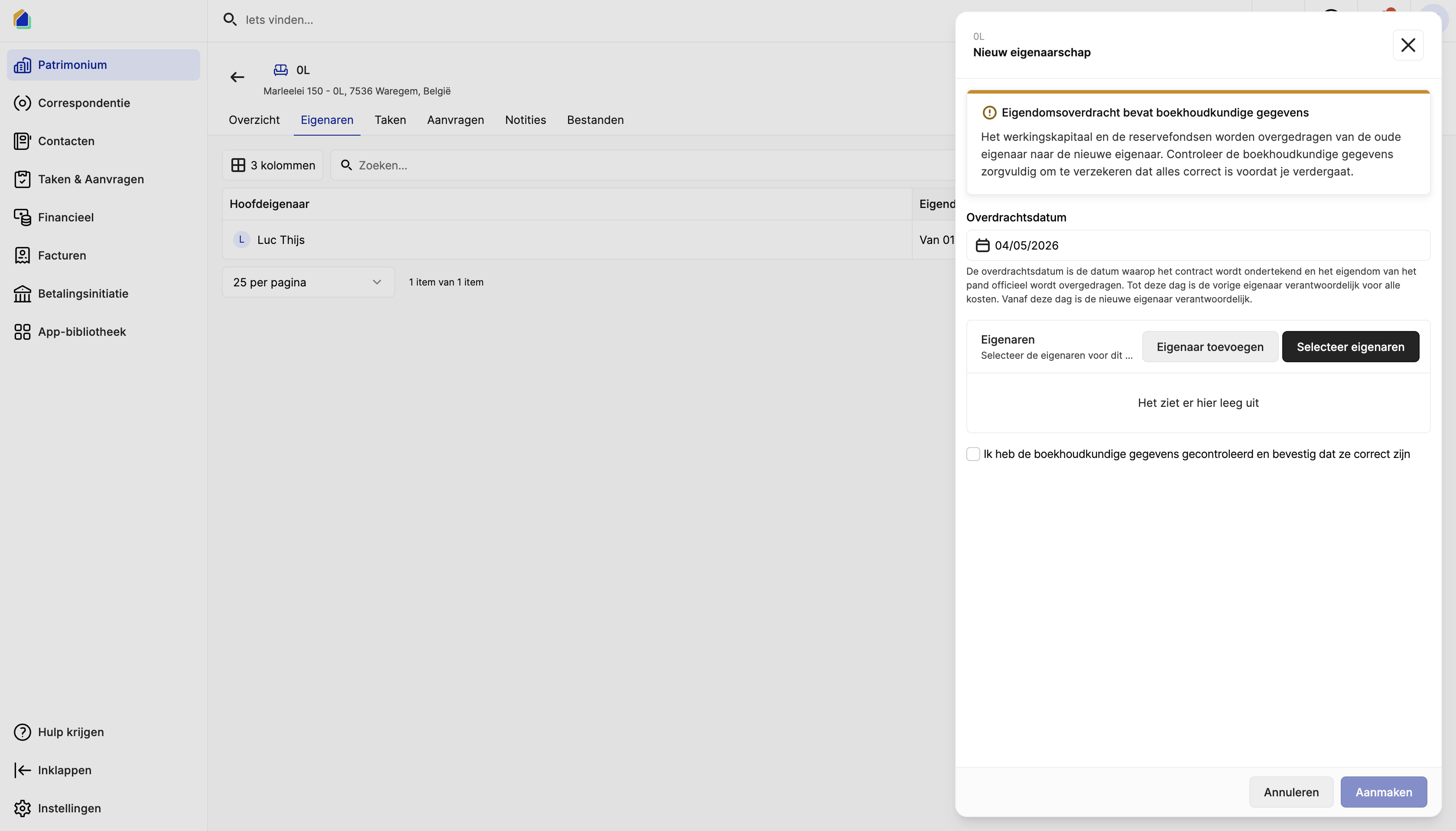
Click New ownership in the top-right corner. A transfer form opens.
WARNING
The ownership transfer contains accounting data. The working capital and reserve funds are transferred from the old owner to the new owner. Verify the accounting data carefully before proceeding.
Transfer date
Enter the transfer date — the date the property officially changes hands (as stated in the notarial deed).
- Until this date: the previous owner is responsible for all costs
- From this date: the new owner is responsible
Select new owner(s)
| Action | Description |
|---|---|
| Add owner | Create a new contact as owner (if not yet in the system) |
| Select owners | Select an existing contact as the new owner |
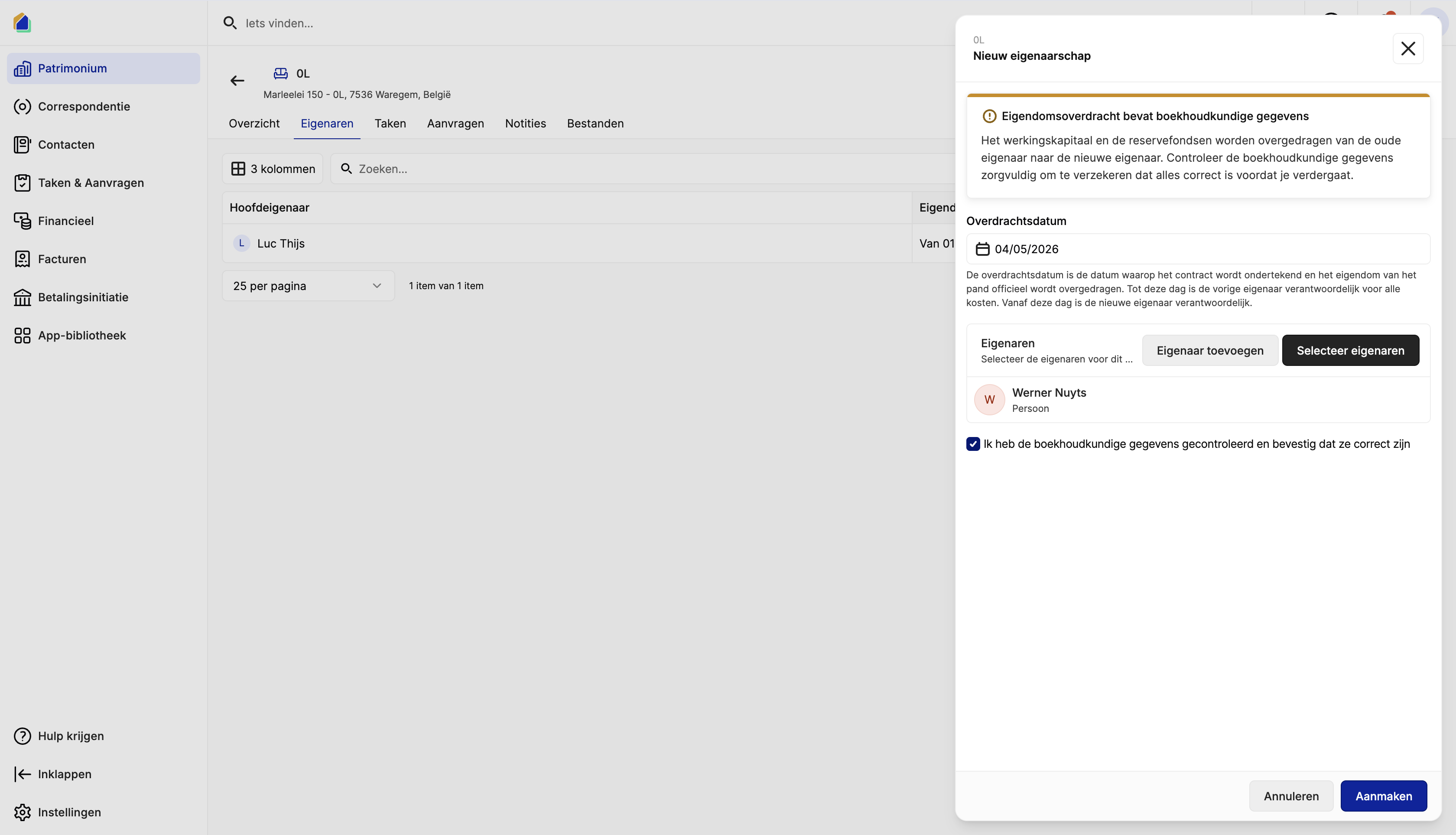
Select the new owner(s) for the unit. A unit can have multiple co-owners (e.g. a couple).
Confirm and create
Check the confirmation checkbox: I have checked the accounting data and confirm they are correct. Then click Create.
What happens after the transfer
When you confirm the ownership transfer, the system automatically processes the following accounting operations:
| Operation | Description |
|---|---|
| Working capital transfer | The old owner's working capital balance is transferred to the new owner's account |
| Reserve fund transfer | The old owner's reserve fund contributions are transferred to the new owner's account |
| Cost allocation split | Costs are split proportionally based on the transfer date |
| Owner ledger accounts | The old owner's ledger account is closed and a new one is created for the new owner |
| Outstanding balance | Any unpaid balance from the old owner is settled — the remaining amount is handled in the final settlement between buyer and seller (typically via the notary) |
TIP
These accounting operations happen automatically. You do not need to create manual journal entries.
| Result | Description |
|---|---|
| Old owner | Status changes to inactive for this unit. Historical data remains in the system. |
| New owner | Status is Active. They receive all future cost allocations, invoices, and meeting invitations for this unit. |
| Accounting | Working capital and reserve fund balances are visible on the new owner's ledger account. |
| Provisions | Future provisions are invoiced to the new owner. |
Good to know
- Transfer date is final — once confirmed, the transfer date determines the cost split. If the date is incorrect, contact SNDQ support.
- Multiple owners — a unit can have co-owners. Select all owners during the transfer.
- Notary settlement — the financial settlement between buyer and seller (prorating of provisions, working capital) is typically handled by the notary. SNDQ records reflect the syndic's administration.
- Historical data — the old owner's invoices, payments, and cost allocations remain visible for reporting purposes.
- No manual accounting required — the system handles all journal entries for the transfer automatically.