

Set up your company details
Your company details appear on generated letters (e.g. indexation notices) and reminders sent to tenants. Keeping this information up to date ensures that all outgoing documents display the correct company name, VAT number, address, and contact information.
Where to find it
Go to Settings > General. Your company details are displayed in the right-hand column under Workspace owner and Legal representative.
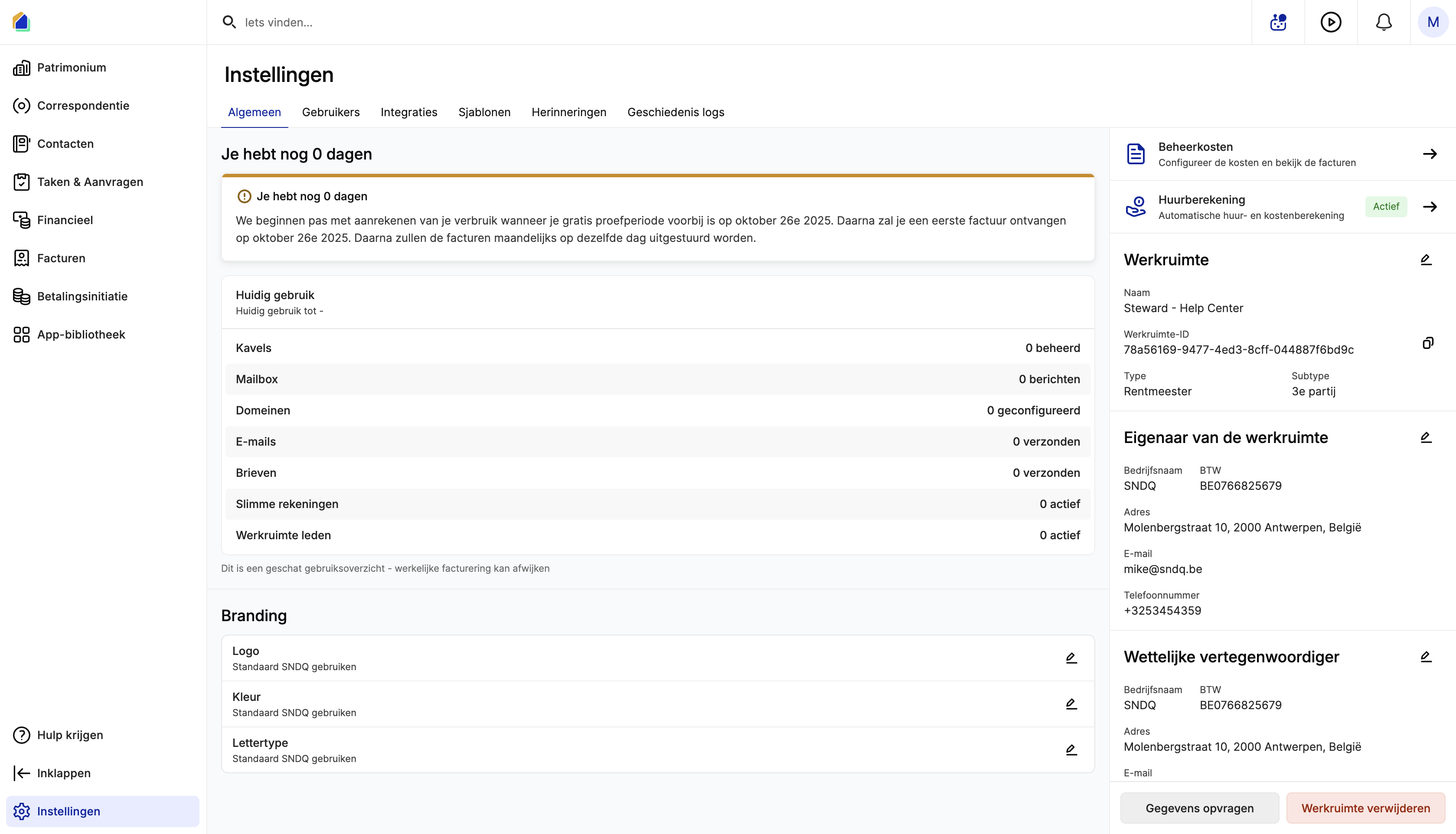
Edit the workspace owner
The workspace owner is your company — the entity that manages the properties.
- In the right column, find Workspace owner and click the pencil icon.
- Fill in the fields in the Edit owner dialog.
- Click Save owner.
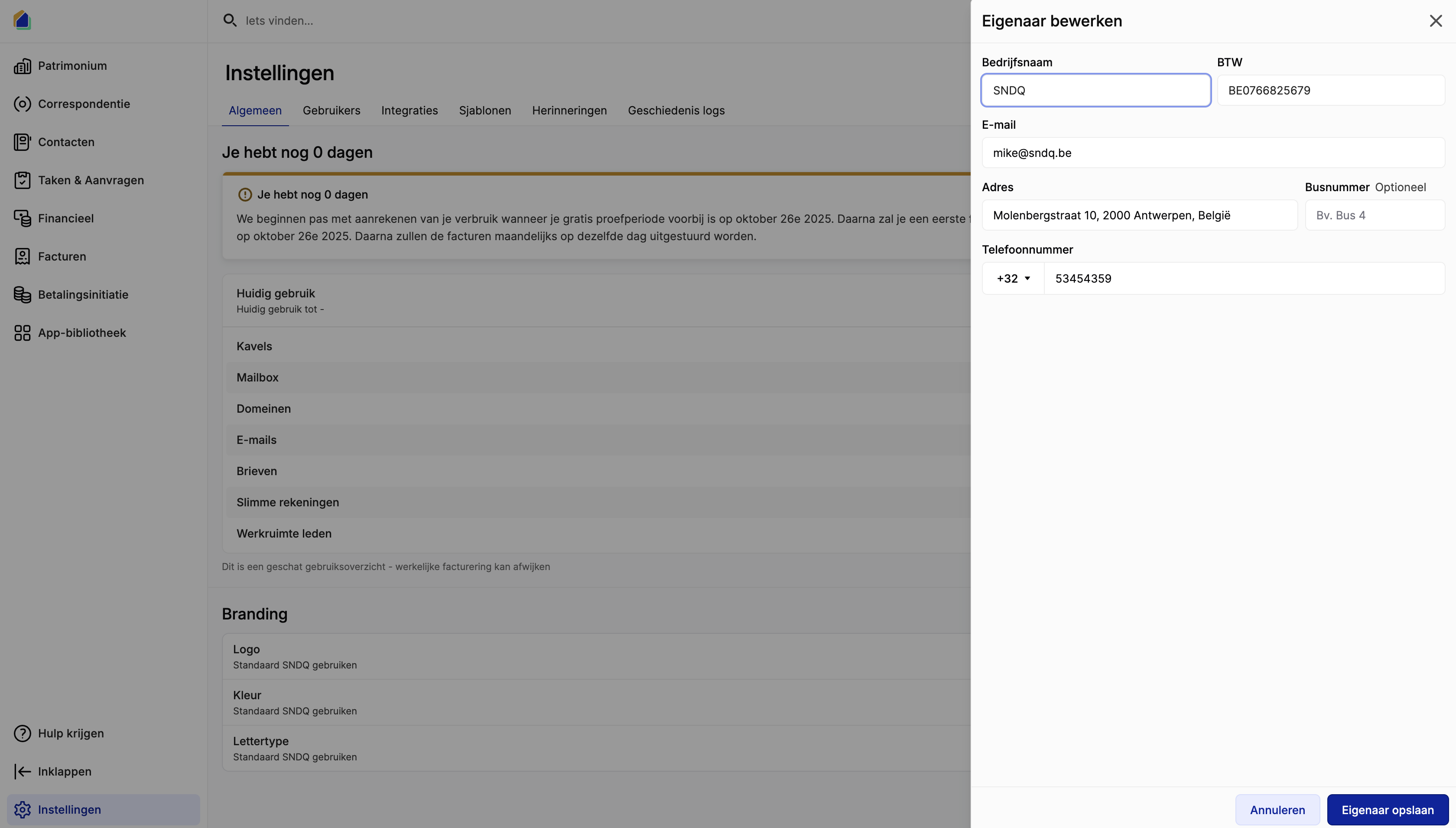
| Field | Description | Required |
|---|---|---|
| Company name | Official company name shown on letters and documents | Yes |
| VAT | Belgian VAT number | Yes |
| Contact email displayed on documents | Yes | |
| Address | Company address | Yes |
| Box number | Optional unit or box number | No |
| Phone number | Company phone number | Yes |
Edit the legal representative
If your company has a separate legal representative (e.g. a parent company or managing director entity), you can configure it here. The legal representative details are also shown on generated documents.
- In the right column, find Legal representative and click the pencil icon.
- Fill in the fields in the Edit legal representative dialog.
- Click Save legal representative.
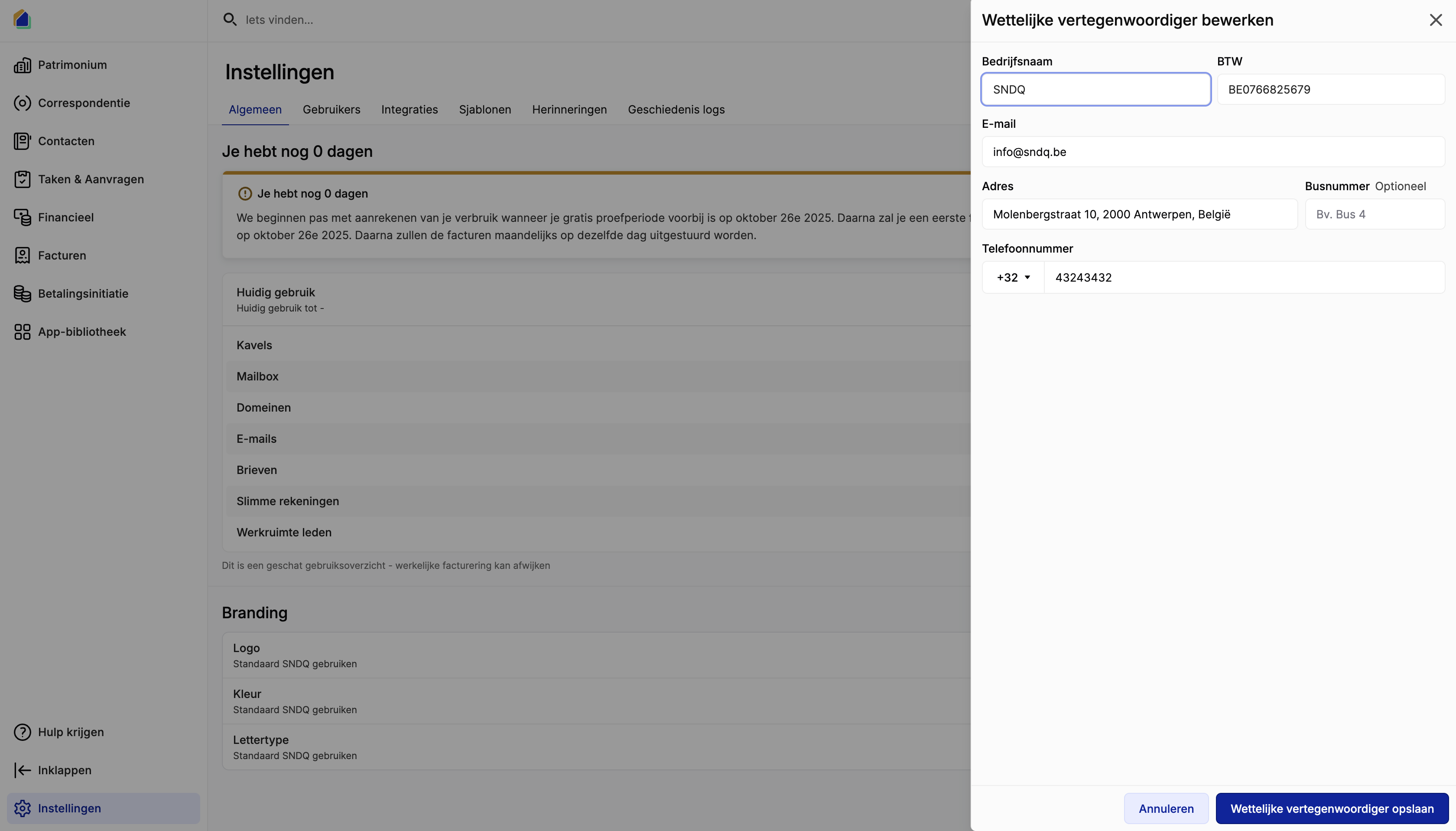
| Field | Description | Required |
|---|---|---|
| Company name | Legal representative's company name | Yes |
| VAT | Belgian VAT number | Yes |
| Contact email | Yes | |
| Address | Address | Yes |
| Box number | Optional unit or box number | No |
| Phone number | Phone number | Yes |
Good to know
- These details are used whenever SNDQ generates letters or reminders (e.g. rent indexation notices), so tenants see your company — not empty or outdated contact info.
- Update this section whenever your address, VAT number, or phone number changes so that new documents stay accurate.
- The workspace owner and legal representative can be the same entity. If they differ, both are shown on official documents.
Need help?
Contact our team at info@sndq.be or use the Get Help option in the SNDQ application.