

Create a mandate
A mandate is the management agreement between you and an owner. It defines who you manage for, your management fees, and how rent is paid out via owner settlements. Without a mandate, SNDQ cannot calculate management fees or generate owner settlements for that owner.
Where to find it
Go to Financial > Mandate management. You can also reach it from the Financial dashboard by clicking Mandate management in the right-hand column.
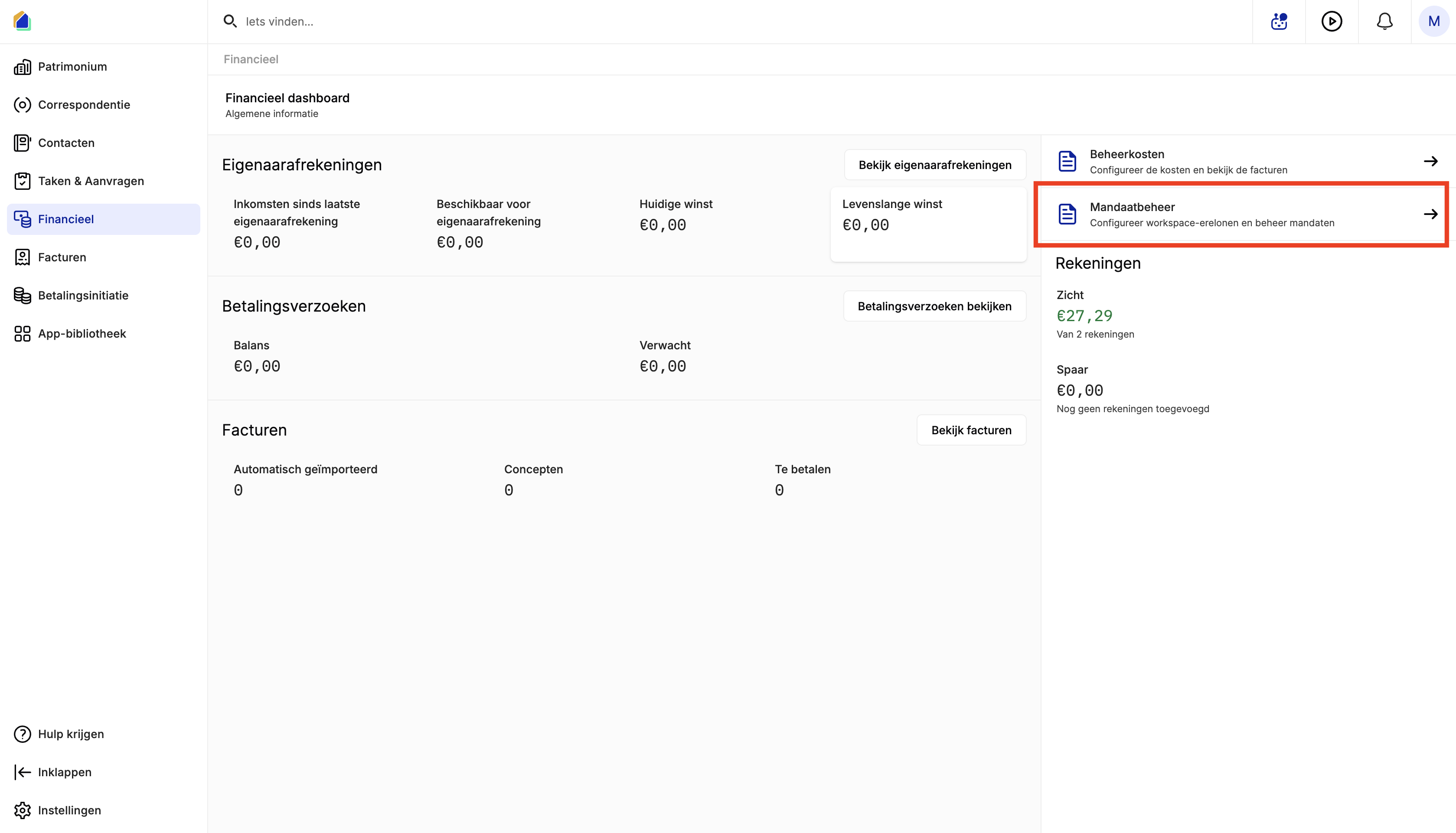
The mandate list shows all existing mandates with their status, type, scope, fee rate, end date, and assigned manager.
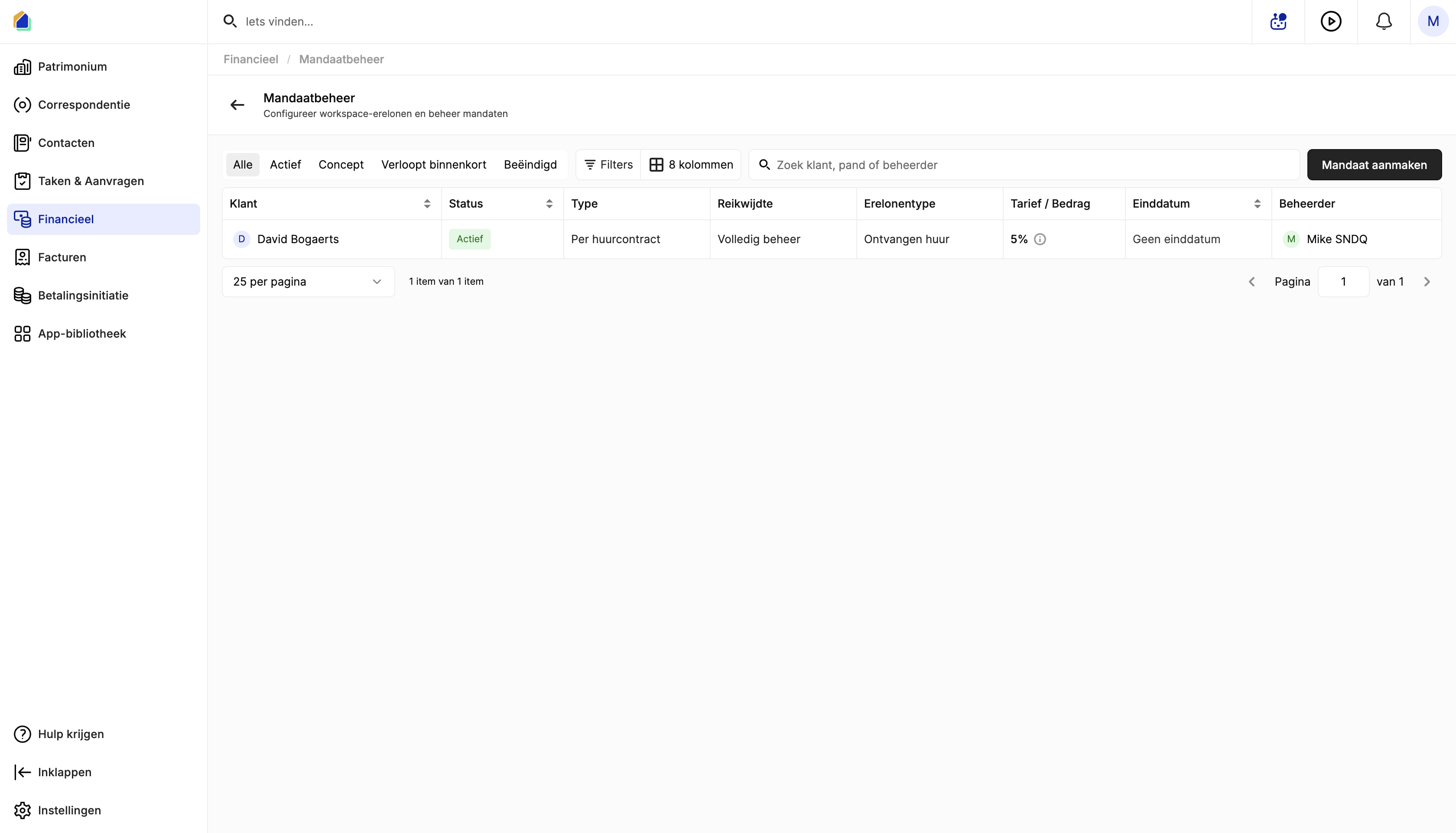
Mandate statuses
| Status | Description |
|---|---|
| Active | Mandate is currently in effect |
| Draft | Mandate is created but not yet active |
| Expiring soon | Mandate is approaching its end date |
| Ended | Mandate has expired or been terminated |
Create a new mandate
Click Create mandate in the top-right corner. A creation dialog opens with three steps.
General
Set the owner, duration, and scope of the mandate.
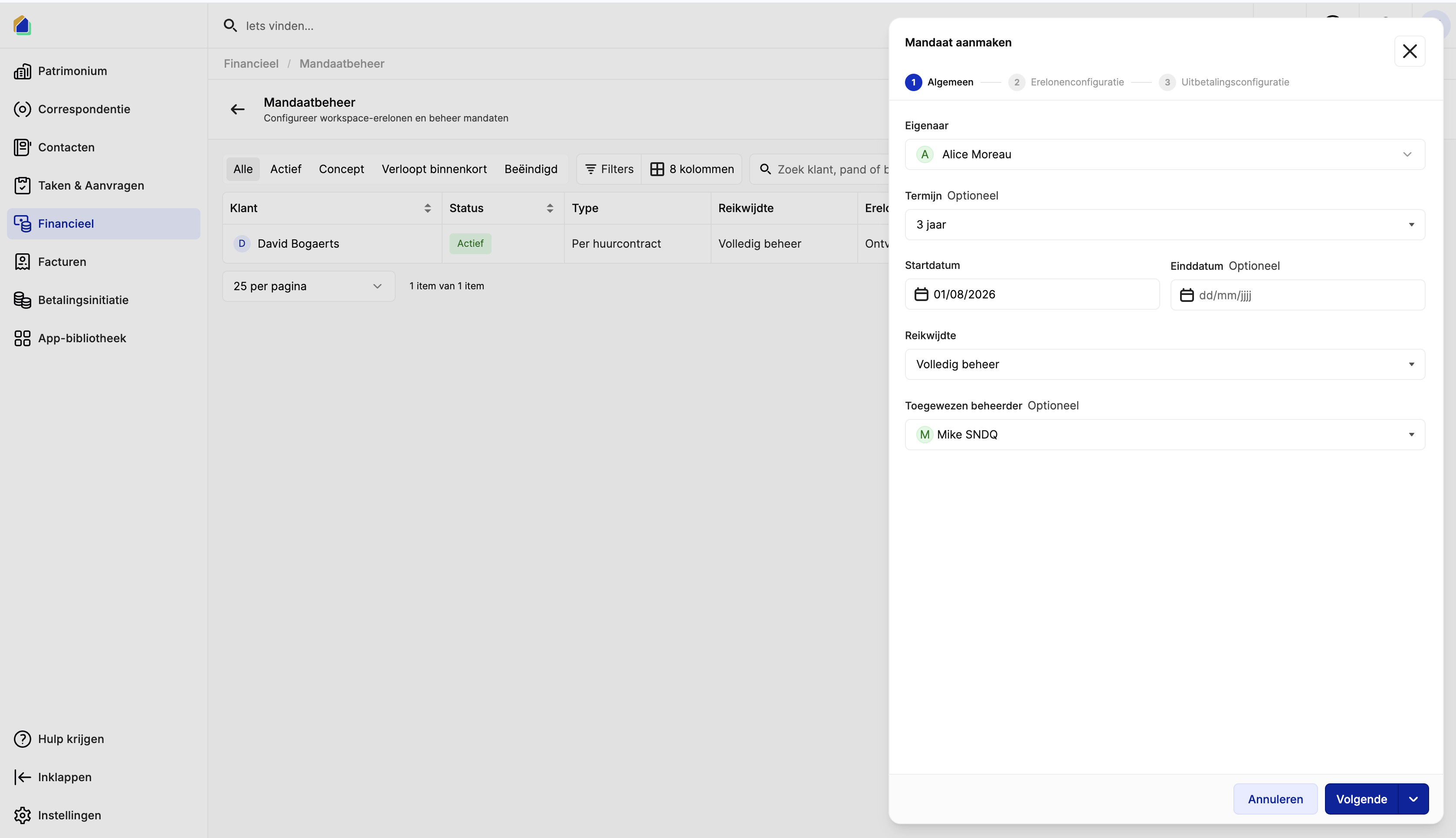
| Field | Description | Required |
|---|---|---|
| Owner | The owner/client for this mandate | Yes |
| Term | Duration of the mandate (e.g. 3 years) | No |
| Start date | When the mandate takes effect | Yes |
| End date | Optional end date | No |
| Scope | Level of management — e.g. Full management | Yes |
| Assigned manager | Staff member responsible for this mandate | No |
Click Next to continue.
Fee configuration
Configure how you charge management fees. This step is optional — you can skip it and set fees later.
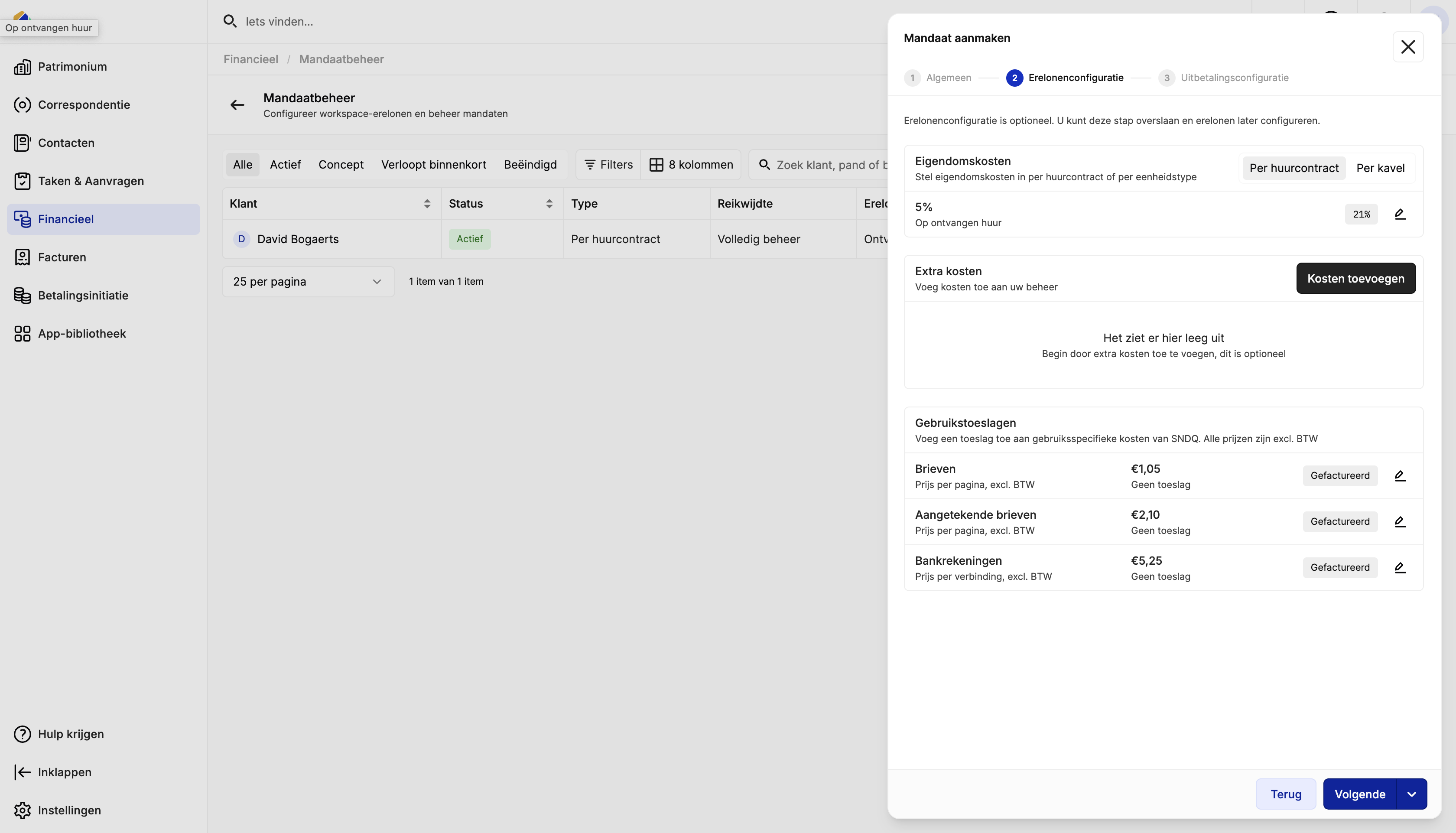
| Section | Description |
|---|---|
| Property fees | Fee calculated Per lease or Per unit. Set a percentage (e.g. 5%) on received rent. You can also set a VAT rate. |
| Extra costs | Optional additional management costs you want to charge the owner |
| Usage surcharges | Optional surcharge on SNDQ usage costs (letters, registered letters, bank accounts). Default prices are shown — you can add a surcharge or leave them as invoiced. |
Click Next to continue.
Payout configuration
Define how owner settlements are grouped, how often they are generated, and what to deduct.
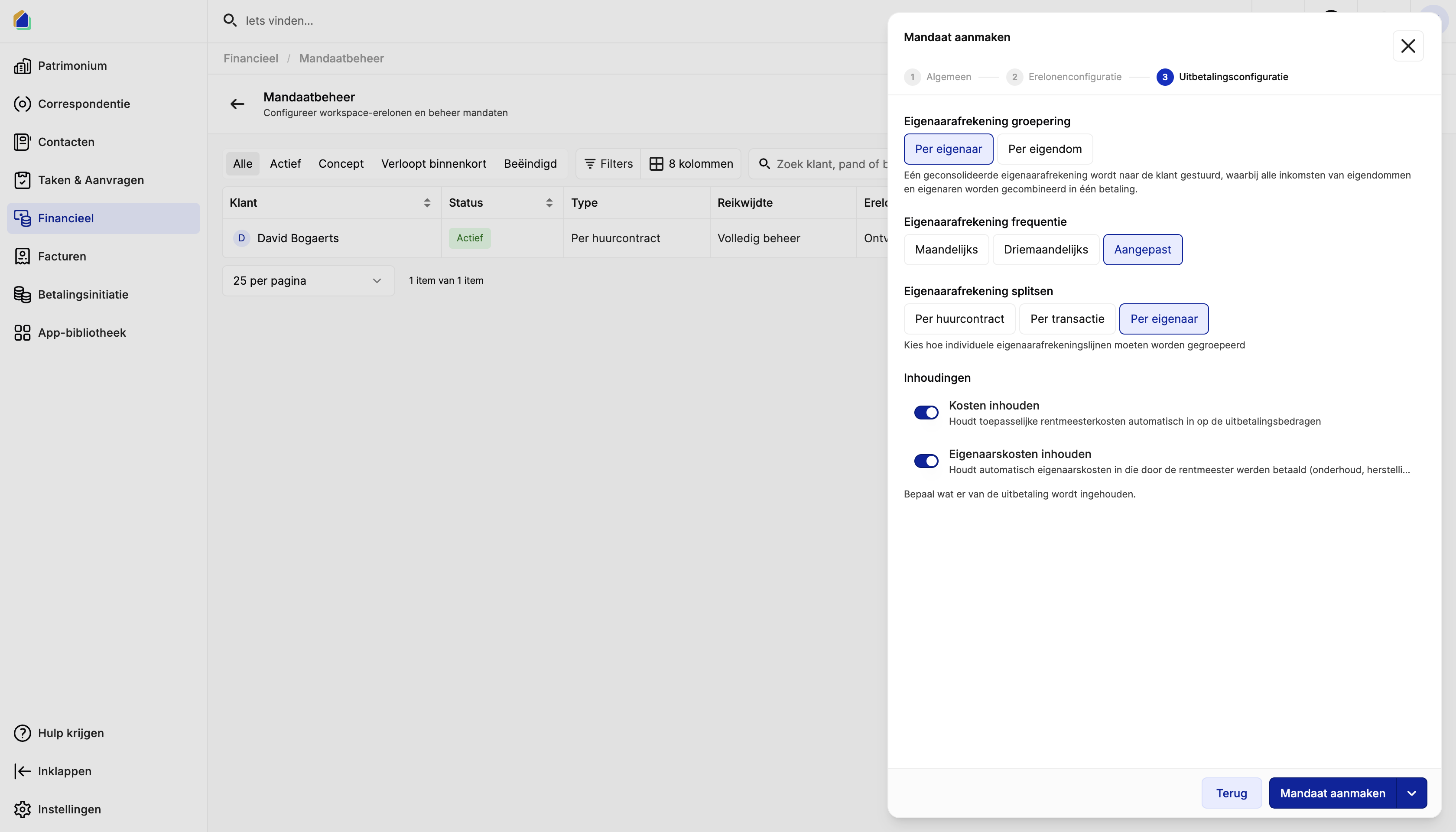
| Setting | Options | Description |
|---|---|---|
| Settlement grouping | Per owner / Per property | One consolidated settlement per owner, or one per property |
| Settlement frequency | Monthly / Quarterly / Custom | How often settlements are generated |
| Settlement splitting | Per lease / Per transaction / Per owner | How individual settlement lines are grouped |
| Deduct costs | Toggle on/off | Automatically deduct management fees from the payout |
| Deduct owner costs | Toggle on/off | Automatically deduct owner costs (e.g. maintenance, repairs) from the payout |
Click Create mandate to save.
Video — Full flow: create a mandate
Good to know
- Without a mandate, SNDQ cannot calculate management fees or build owner settlements for that owner.
- Fee configuration is optional at creation — you can always add or adjust fees later from the mandate detail page.
- The Usage surcharges section shows the base SNDQ prices (excl. VAT). You can add a surcharge on top or leave them as-is.
- Use Per owner settlement grouping if the owner prefers a single combined payout. Use Per property if they want separate settlements per building.
Related articles
Need help?
Contact our team at info@sndq.be or use the Get Help option in the SNDQ application.