

Create a rent indexation
Rent indexation adjusts a lease's rent based on the Belgian health index. SNDQ calculates the new amount, applies it to the lease, and generates an indexation letter you can send to the tenant.
When to use it
- The lease is marked as Indexable (badge visible in the top-right corner of the lease).
- The lease appears in the list of contracts due for indexation (e.g. within 30 days).
How to start
You can start an indexation from two places:
Option A — From the indexation overview
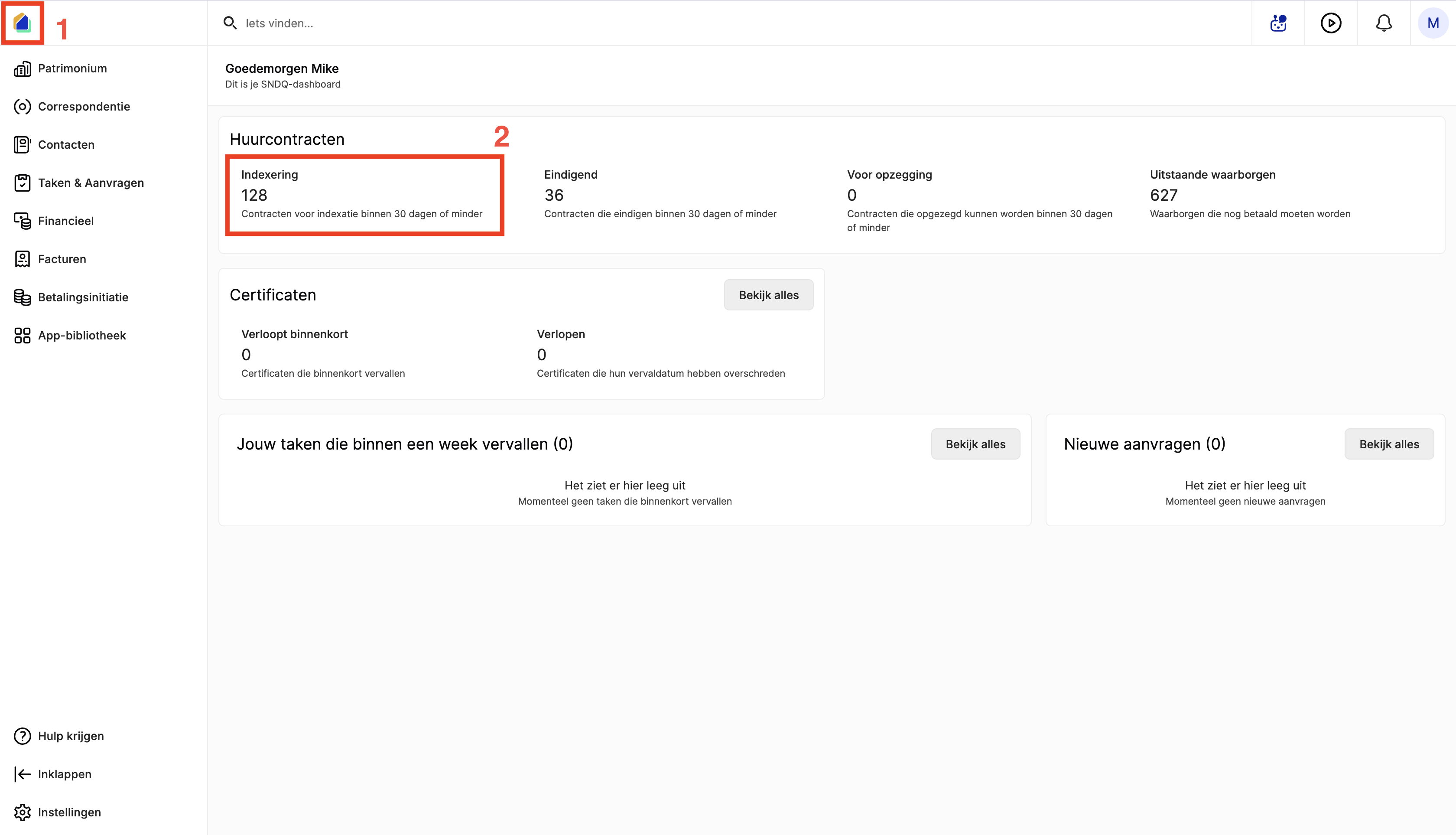
- On the dashboard, under Lease contracts, click the Indexation card to see how many leases are due.
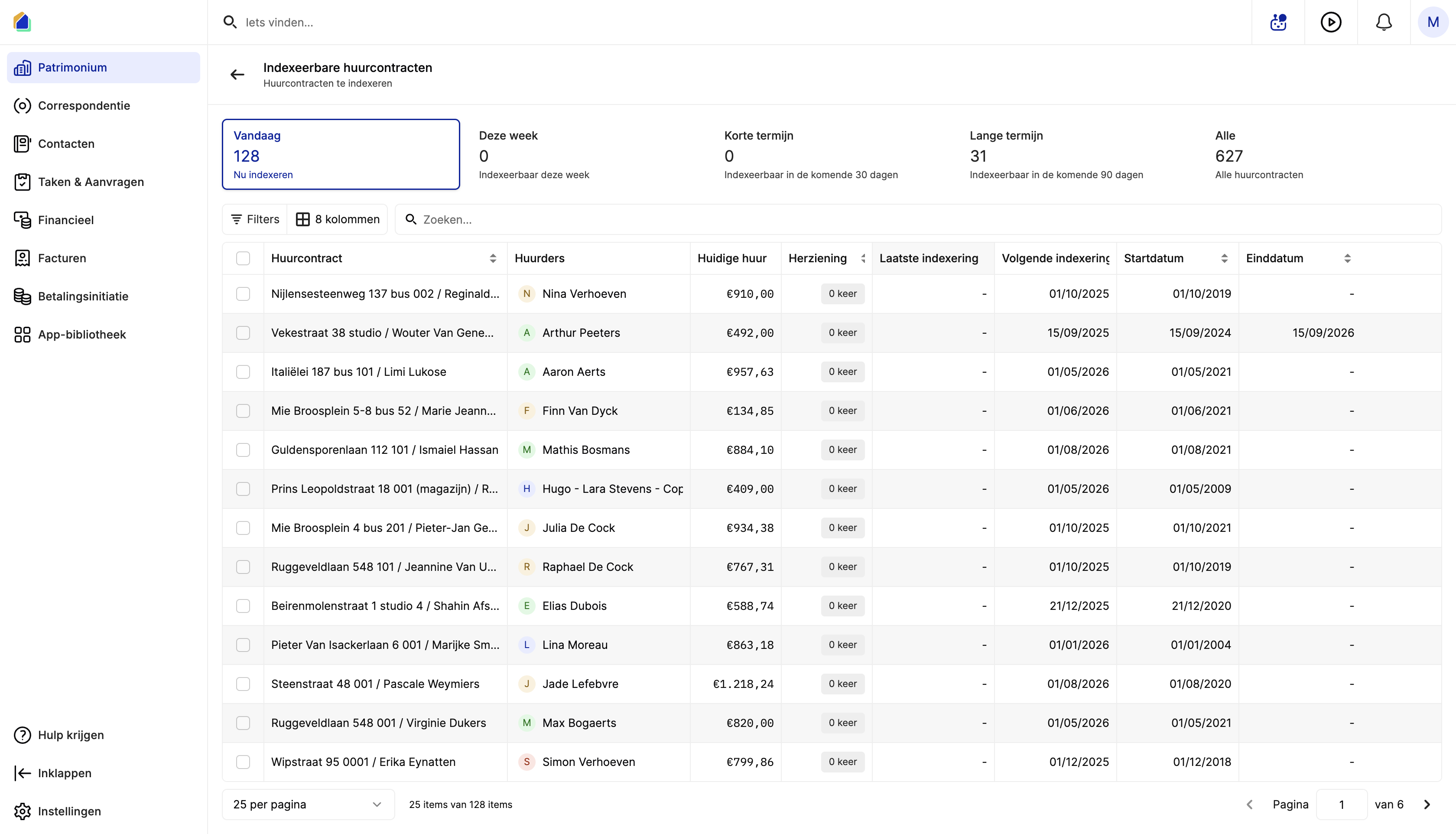
- This opens the Indexable lease contracts list. Leases are grouped by urgency: Today, This week, Short term (30 days), Long term (90 days), and All.
- Click a lease to open it.
Option B — From the lease itself
- Go to Patrimony and open the lease.
- On the Overview tab, if the lease is eligible, a blue banner appears: Your lease is eligible for indexation. Click Index now.
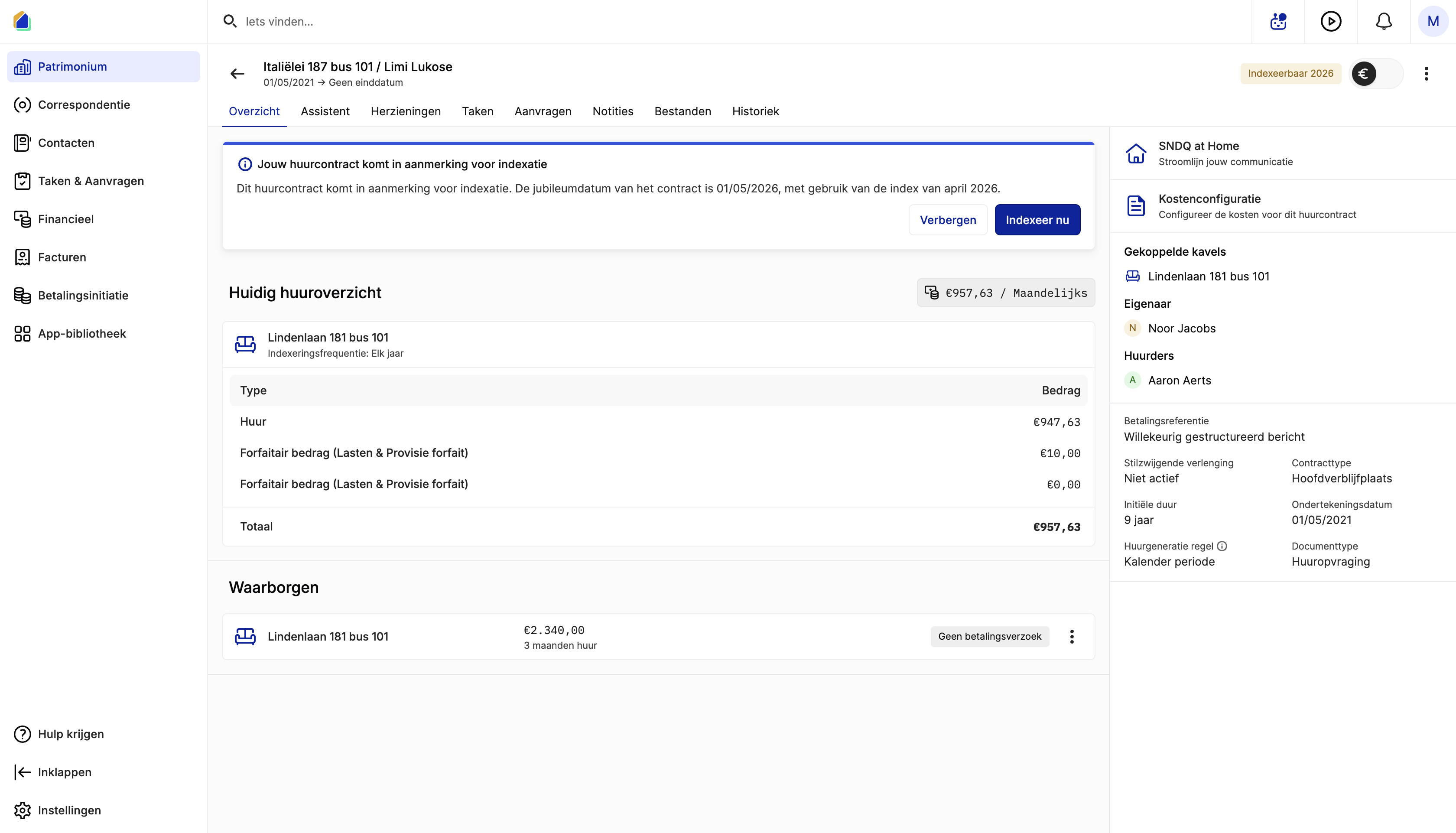
Alternatively, go to the Revisions tab and click Add indexation.
The indexation wizard
The wizard has three steps: General, Units, and Retroactive check.
General
Verify the lease dates and set when the new rent takes effect.
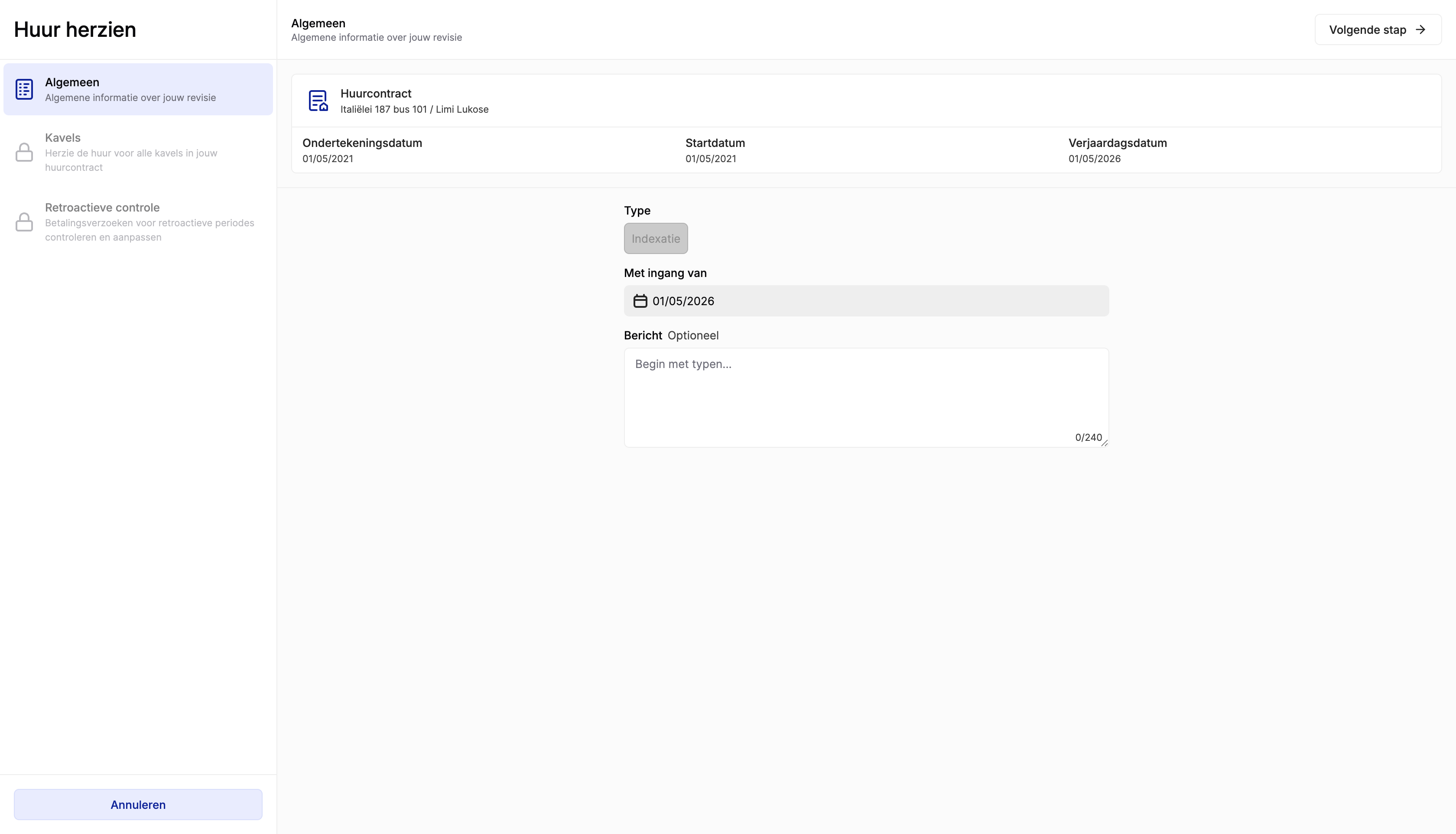
| Field | Description | Required |
|---|---|---|
| Signing date | Date the lease was signed (read-only) | — |
| Start date | Lease start date (read-only) | — |
| Anniversary date | Date used for indexation timing (read-only) | — |
| Type | Set to Indexation automatically | — |
| Effective from | Date the new rent applies — check this carefully | Yes |
| Message | Optional note for internal reference (max 240 characters) | No |
Click Next step to continue.
Units
Review the calculated rent amounts per unit. If a correction factor applies (Wallonia), make sure the EPC certificate on the unit is correct — an incorrect EPC label leads to a wrong correction factor and therefore an incorrect new rent amount. If the EPC is wrong, cancel the wizard, update the EPC certificate on the unit first, and then restart the indexation.
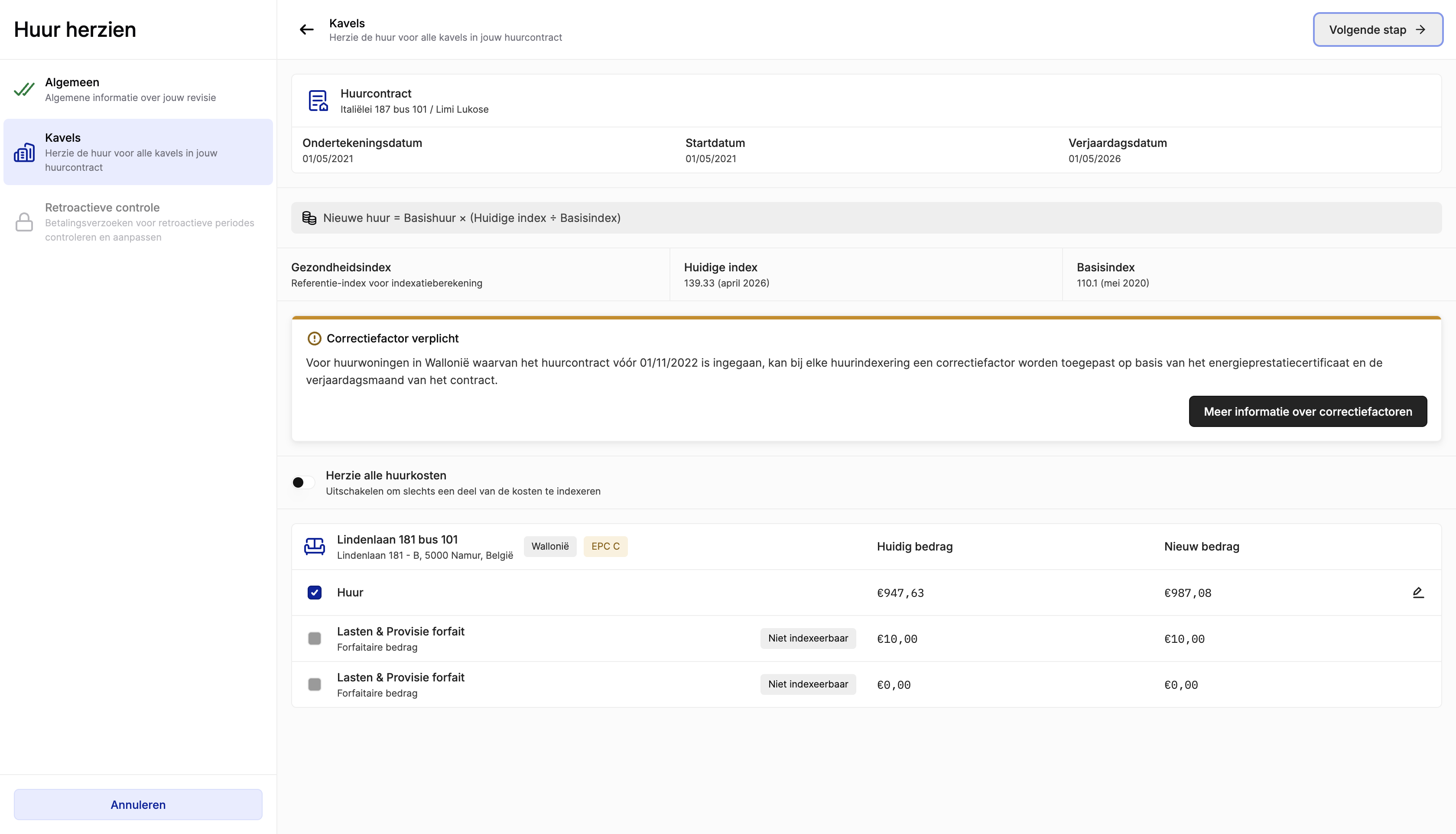
SNDQ applies the standard indexation formula:
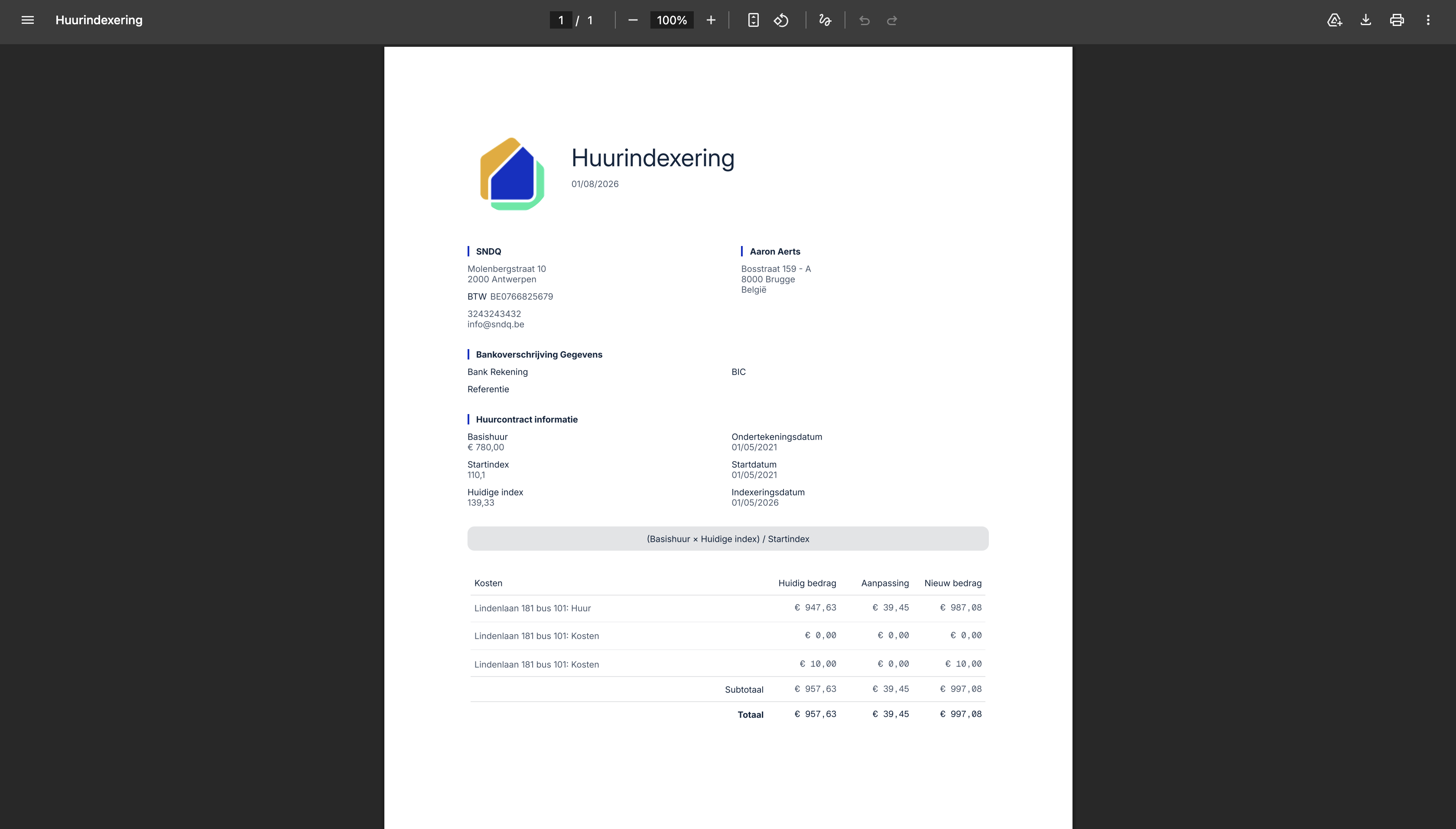
New rent = Base rent × (Current index ÷ Base index)
| Field | Description |
|---|---|
| Health index | Reference index for the calculation |
| Current index | The most recent published index value |
| Base index | The index at the start of the lease |
- Rent lines eligible for indexation show the updated amount under New amount.
- Lines marked Not indexable (e.g. flat-rate charges) remain unchanged.
Wallonia — correction factor
For rental properties in Wallonia where the lease started before 01/11/2022, a correction factor may apply based on the EPC certificate and the contract's anniversary month. Click More information about correction factors for details.
Click Next step to continue.
Retroactive check
SNDQ checks whether any past periods require a retroactive payment adjustment.
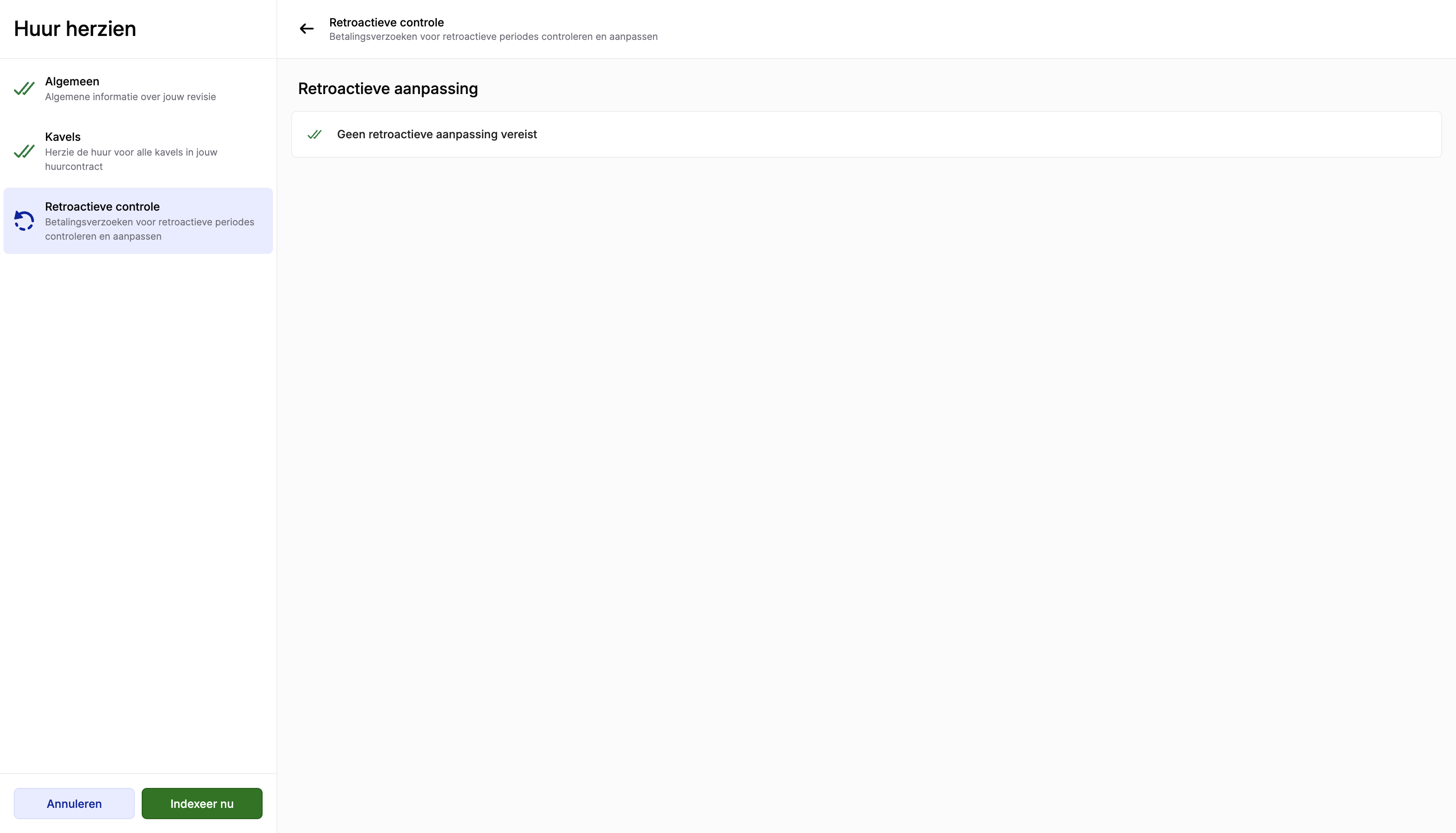
- If no adjustment is needed, you see: No retroactive adjustment required.
- If there is a retroactive amount, it will be added to the indexation result.
Click Index now to apply the indexation.
After indexation
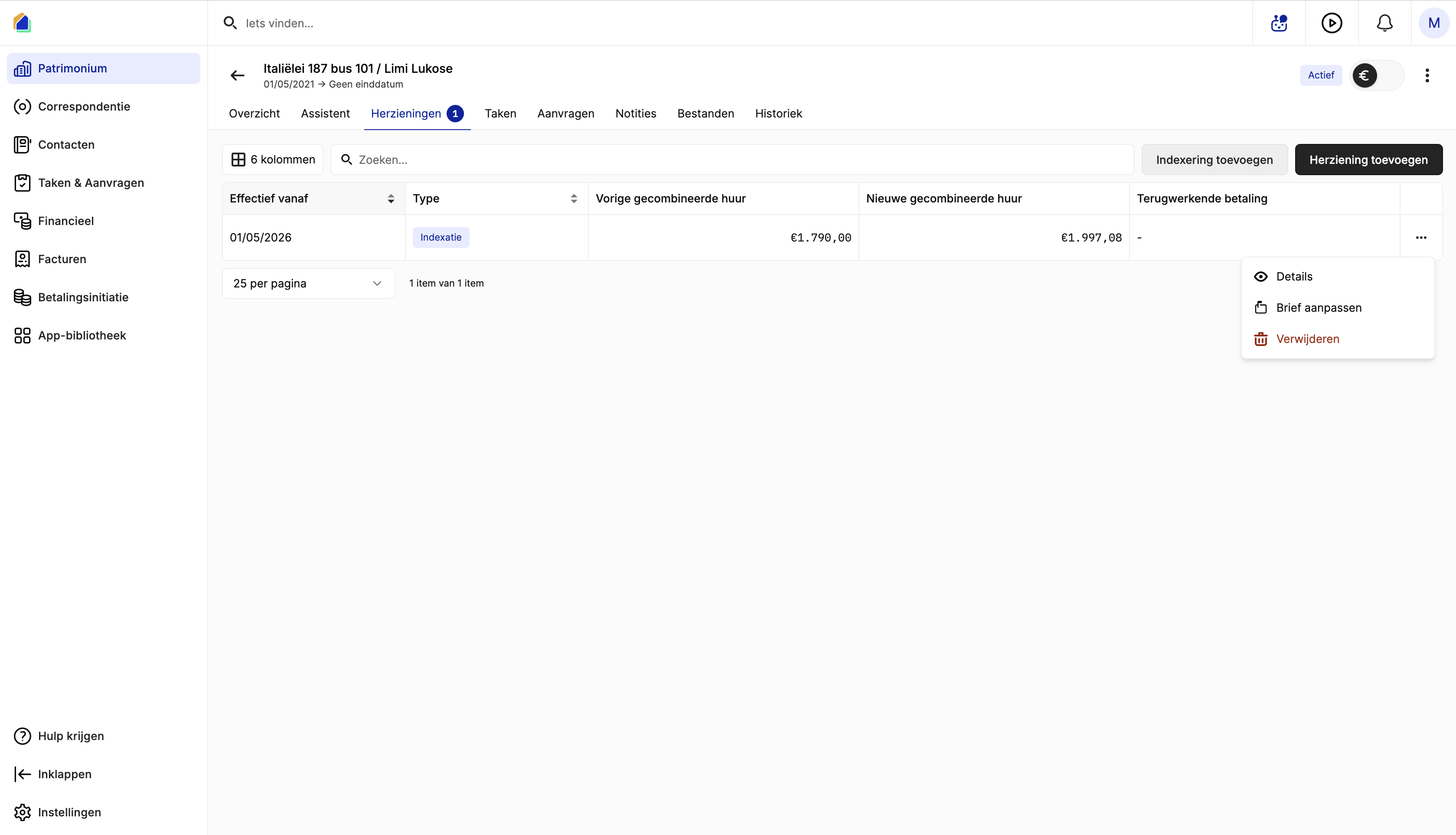
Once applied, the indexation appears on the lease's Revisions tab as a row with type Indexation.
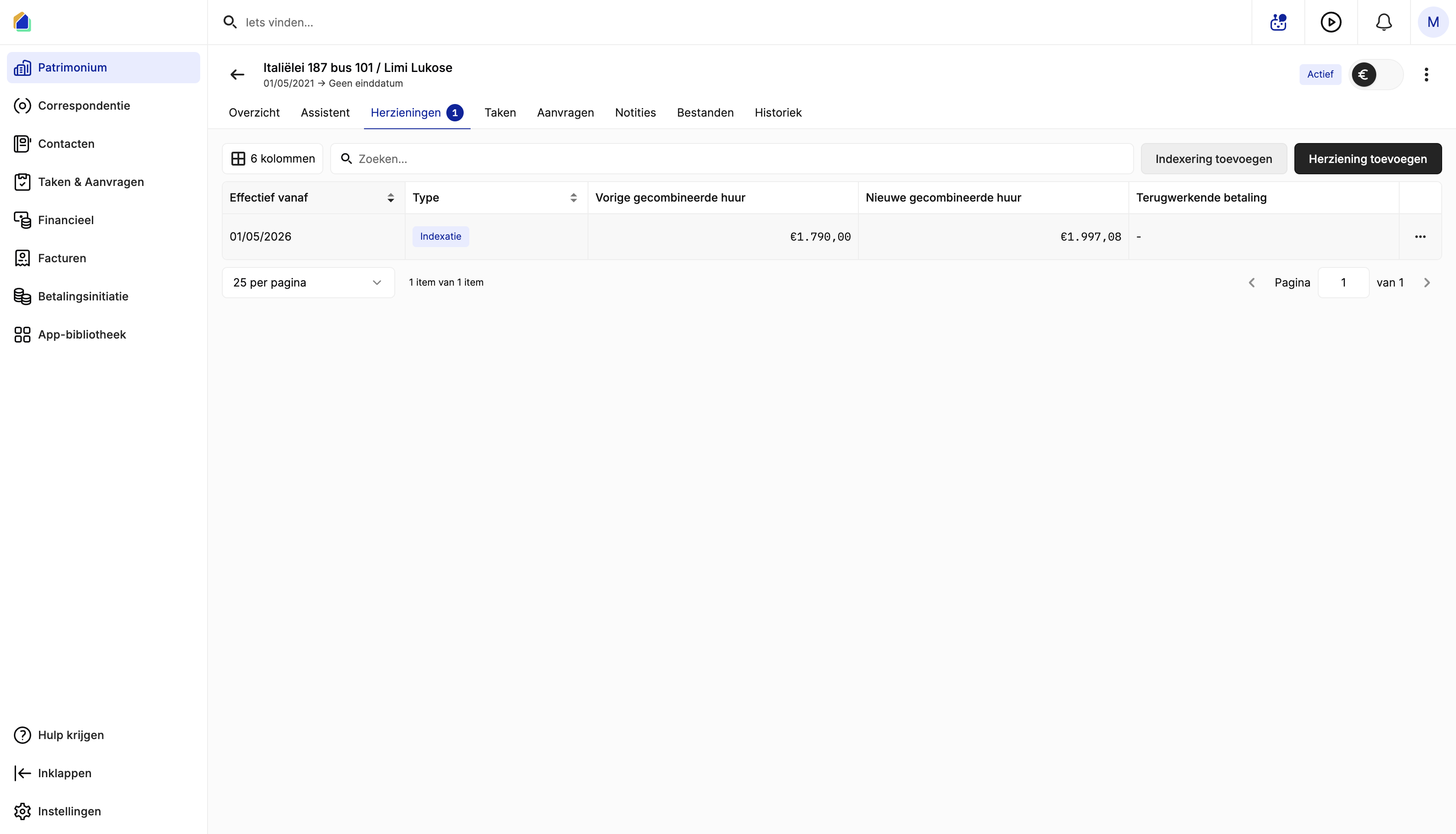
| Column | Description |
|---|---|
| Effective from | Date the new rent applies |
| Previous combined rent | Total rent before indexation |
| New combined rent | Total rent after indexation |
| Retroactive payment | Additional amount owed for past periods, if any |
View indexation details
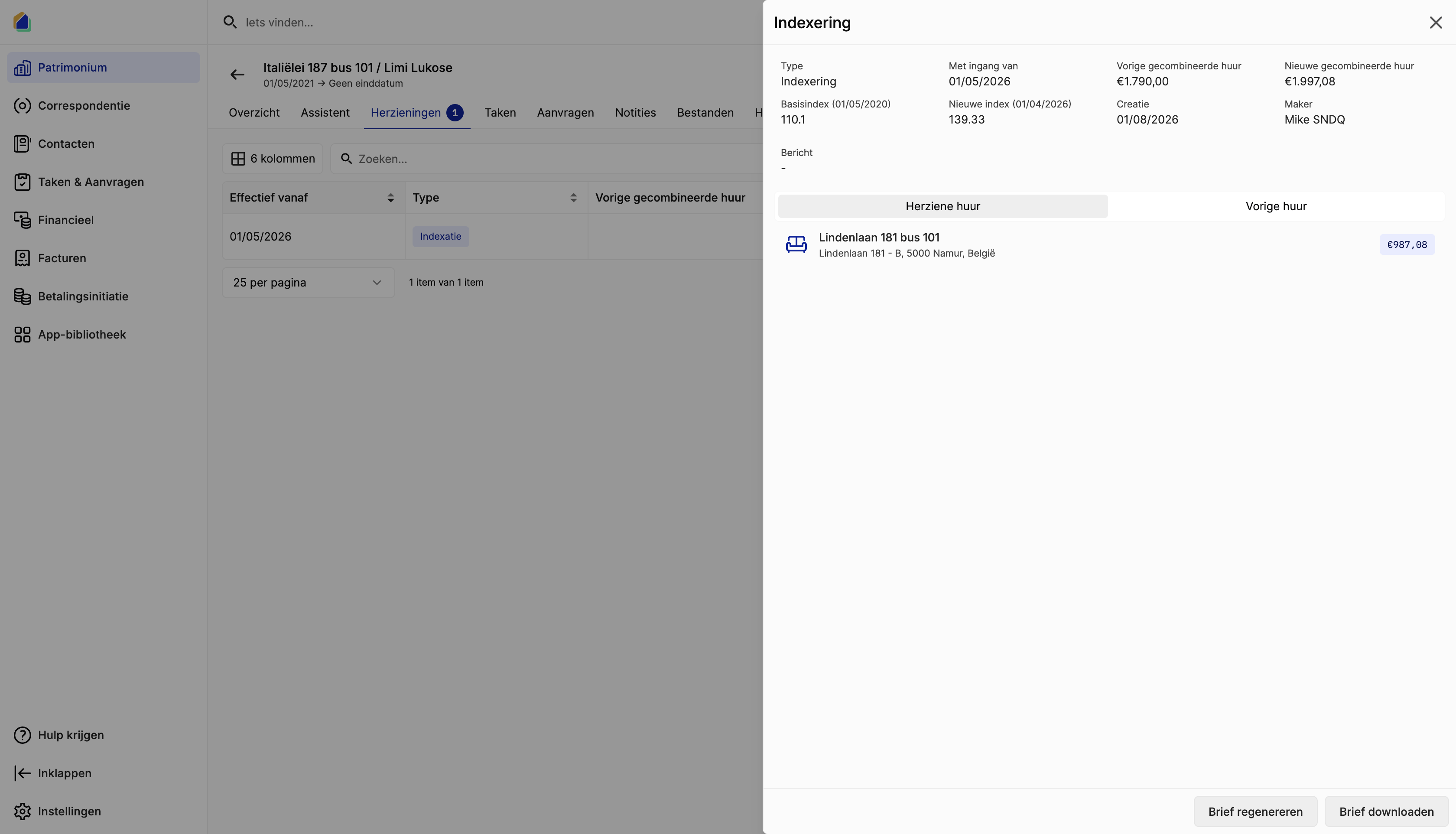
Click the row or select Details from the row menu (⋯) to open the indexation detail panel. This shows the full calculation: base index, current index, creation date, and a comparison of the revised rent vs. the previous rent per unit.
Indexation letter
From the row menu (⋯) or the detail panel, you can manage the indexation letter:
| Action | Description |
|---|---|
| Edit letter | Adjust the generated letter before sending |
| Regenerate letter | Recreate the letter (e.g. after correcting company details) |
| Download letter | Download the letter as a PDF |
The generated letter includes your company details, tenant details, the base rent, index values, indexation date, and old vs. new amounts.
TIP
Company details on the letter come from Settings > General > Workspace owner. Make sure these are up to date — see Set up your company details.
Good to know
- Indexation updates the lease rent and generates the letter in one flow — no need to create the letter separately.
- Do not confuse Add indexation with Add revision. A revision is for other rent changes (e.g. a negotiated increase), not the standard index-based adjustment.
- Always verify the Effective from date before confirming, so the new rent starts on the correct date.
- You can delete an indexation from the row menu if it was applied in error.
Related articles
Need help?
Contact our team at info@sndq.be or use the Get Help option in the SNDQ application.