

Generate owner payouts
Owner payouts (owner settlements) summarize rental income, management fee withholdings, and owner costs for a given period. Use this at the end of each payment cycle — weekly, monthly, or quarterly — to prepare payouts to your owners.
Where to find it
Go to Financial > Owner settlements.
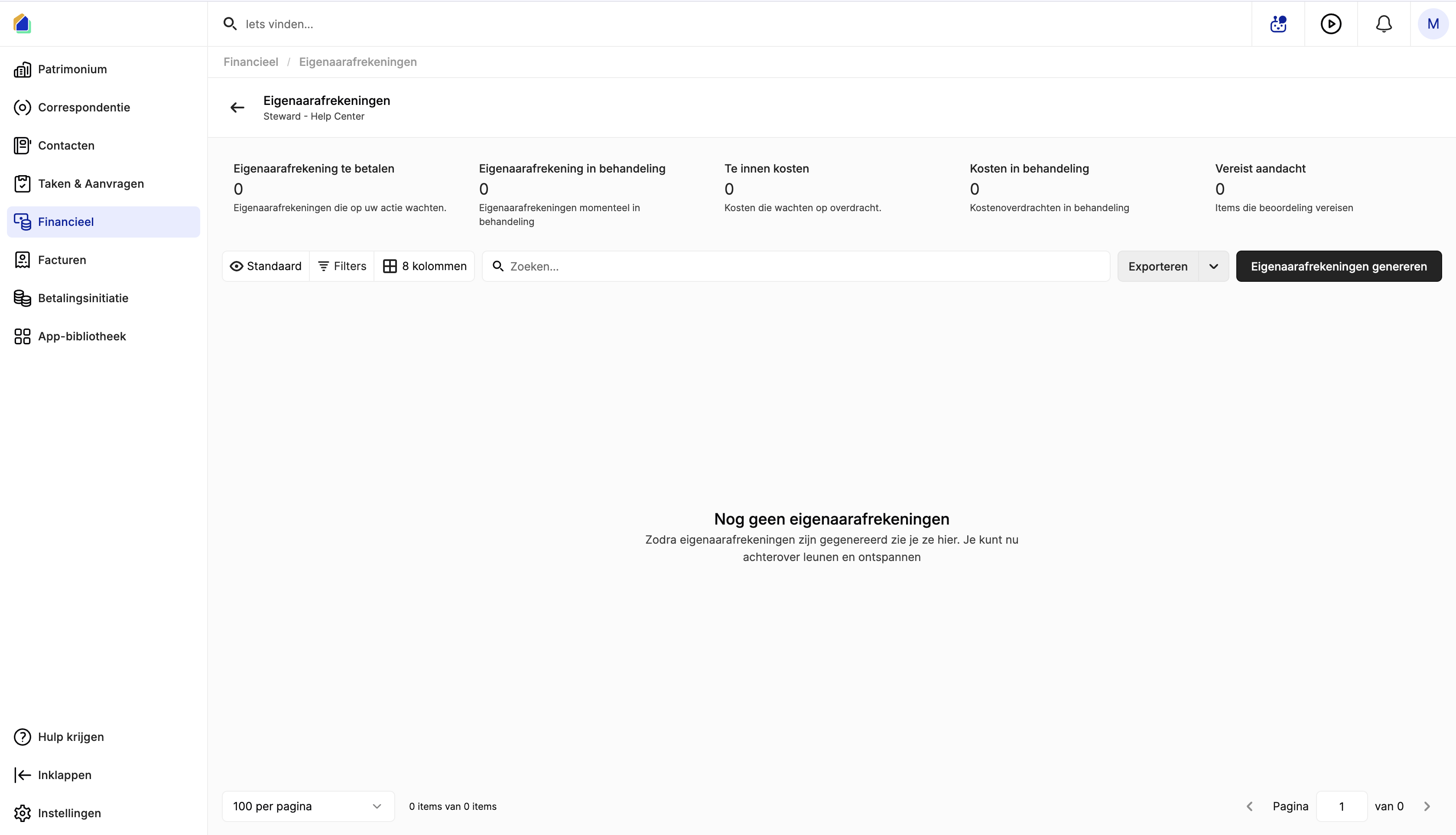
Dashboard cards
| Card | Description |
|---|---|
| Payouts to pay | Settlements awaiting payment |
| Payouts in processing | Settlements currently being processed |
| Costs to collect | Costs waiting to be collected via cost transfer |
| Costs in processing | Cost transfers being processed |
| Requires attention | Items needing review |
Generate owner settlements
Open the generation dialog
Click Generate owner settlements in the top-right corner.
Video — Full flow: generate owner payouts
Configure the payout parameters
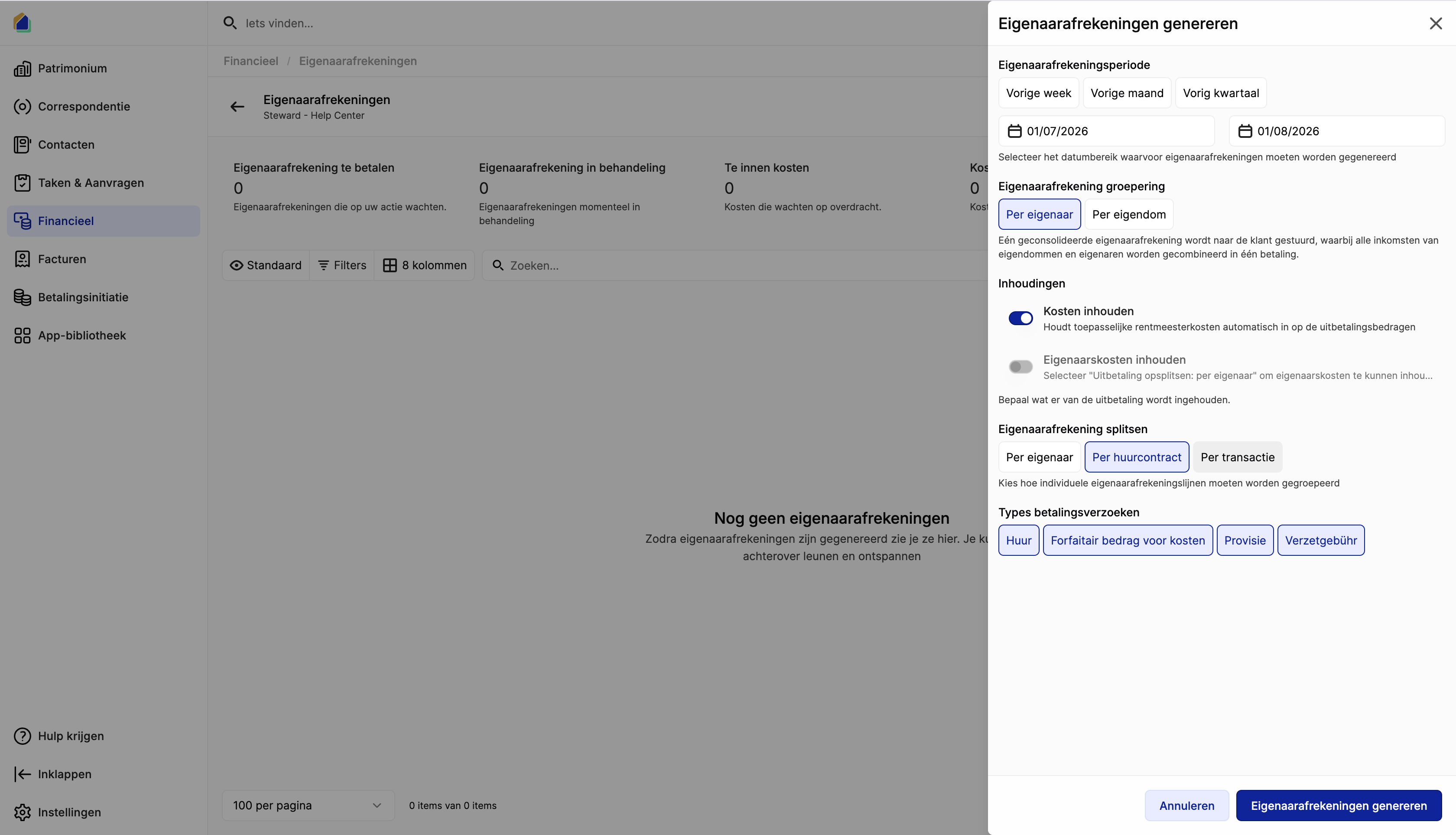
| Setting | Options | Description |
|---|---|---|
| Settlement period | Last week / Last month / Last quarter / Custom dates | Date range for which payouts should be generated |
| Settlement grouping | Per owner / Per property | One consolidated statement per owner, or one per property |
| Withhold costs | Toggle on/off | Automatically deduct management fees from the payout amounts |
| Withhold owner costs | Toggle on/off | Deduct owner-specific costs (e.g. maintenance, repairs) from the payout |
| Settlement splitting | Per owner / Per lease / Per transaction | How individual settlement lines are grouped |
| Payment request types | Rent / Fixed cost amount / Provision / Late fees | Which transaction types to include |
Defaults
Period: Last month — Grouping: Per owner — Splitting: Per lease — All payment request types selected.
Click Generate owner settlements to continue.
Review and select owners
A preview screen shows a financial summary and a list of all owners with their calculated amounts.
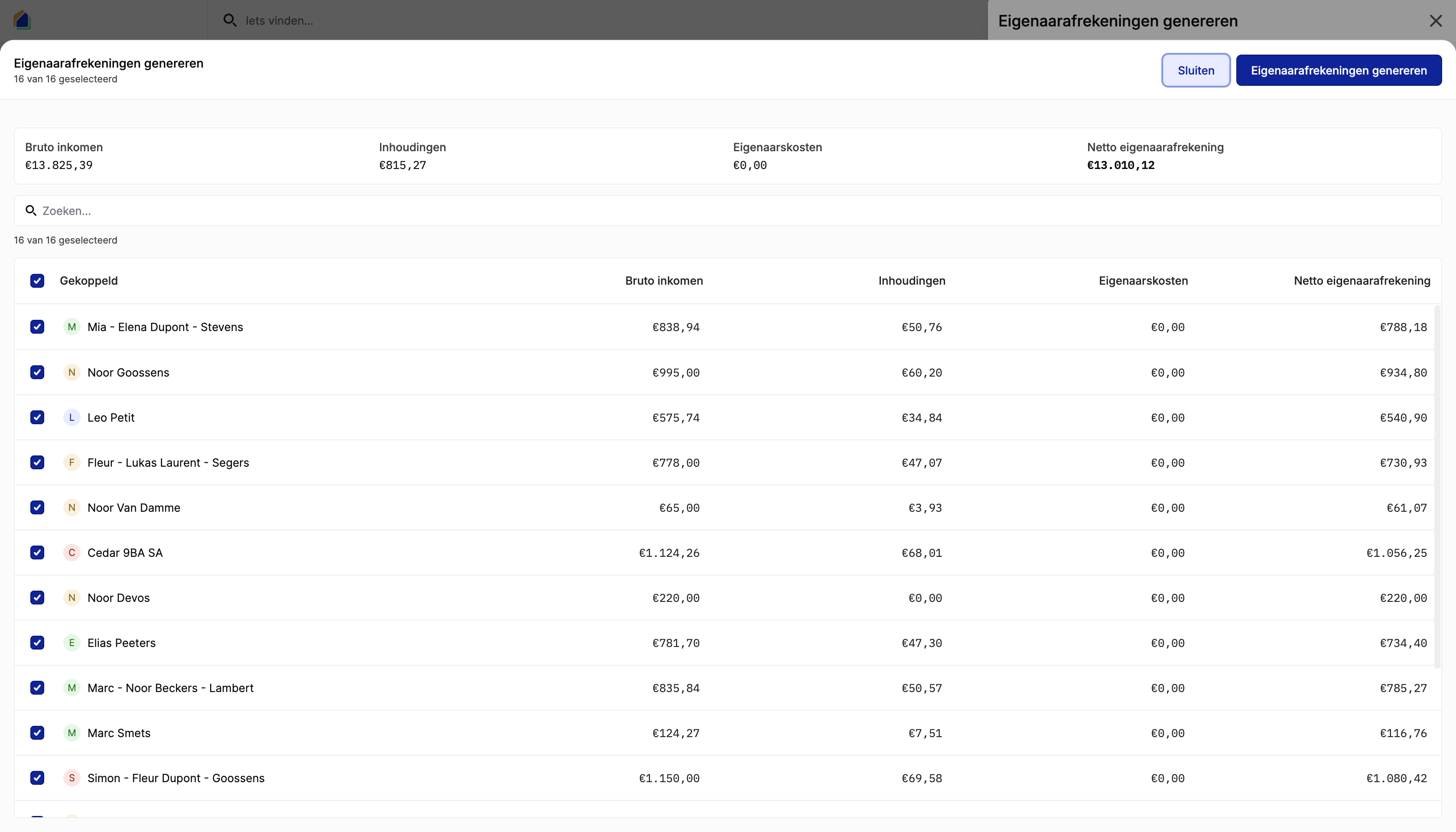
| Column | Description |
|---|---|
| Gross income | Total income before any deductions |
| Withholdings | Total management fees withheld |
| Owner costs | Total owner-specific costs deducted |
| Net payout | Final amount to be paid out |
- Use the checkboxes to select or deselect individual owners.
- Use the search bar to filter owners by name.
- The counter shows how many owners are selected (e.g. "9 of 9 selected").
Click Generate owner settlements to confirm, or Close to go back and adjust settings.
View generated payouts
After generation, the payouts appear in the list with status Ready for review. Each owner has one row showing the settlement date, gross income, withholdings, owner costs, and net payout amount.
Good to know
- Payment requests must exist for the selected period — if there are no recorded payments, the result will be empty.
- Make sure to select the correct Payment request types, otherwise some income may be excluded.
- Use Per owner grouping when an owner has multiple properties and prefers one consolidated payment. Use Per property when they want separate statements per building.
- Newly generated payouts have status Ready for review. Review and approve them before processing the actual bank payment via Payment initiation.
- The payout configuration from the owner's mandate is used as the default for grouping, splitting, and withholdings.
Related articles
Need help?
Contact our team at info@sndq.be or use the Get Help option in the SNDQ application.